- Website builder
- Account & billing
- Upgrade your plan
Upgrade your plan
Move a website to a higher plan at any time and pay only the difference for the days left in your year — with a worked example, GST included.
You can move an active website to a higher plan whenever you like. You pay only for the extra value, for the time left in your current year — and your renewal date stays the same.
How the price is worked out#
You pay = (new plan's yearly price ÷ days in a year × days left) − (current plan's yearly price ÷ days in a year × days left), plus GST on that difference
In words: the new plan for the rest of your year, minus the unused value of the plan you already paid for — and 18% GST on the difference.
Example#
Your Single Page website (₹4,199 a year) has 200 days left, and you upgrade to Up to 10 Pages (₹9,699 a year):
| Amount | |
|---|---|
| Up to 10 Pages for the 200 days left | ₹5,315 |
| Credit for 200 unused days of Single Page | − ₹2,301 |
| Difference | ₹3,014 |
| GST 18% | ₹542.52 |
| You pay to upgrade | ₹3,556.52 |
The upgrade page shows the exact figures for your website before you pay. The renewal date does not change; from the next renewal you pay the new plan's yearly price.
Upgrade#
- Sign in to your account dashboard.
- On the website's card, select Upgrade plan.
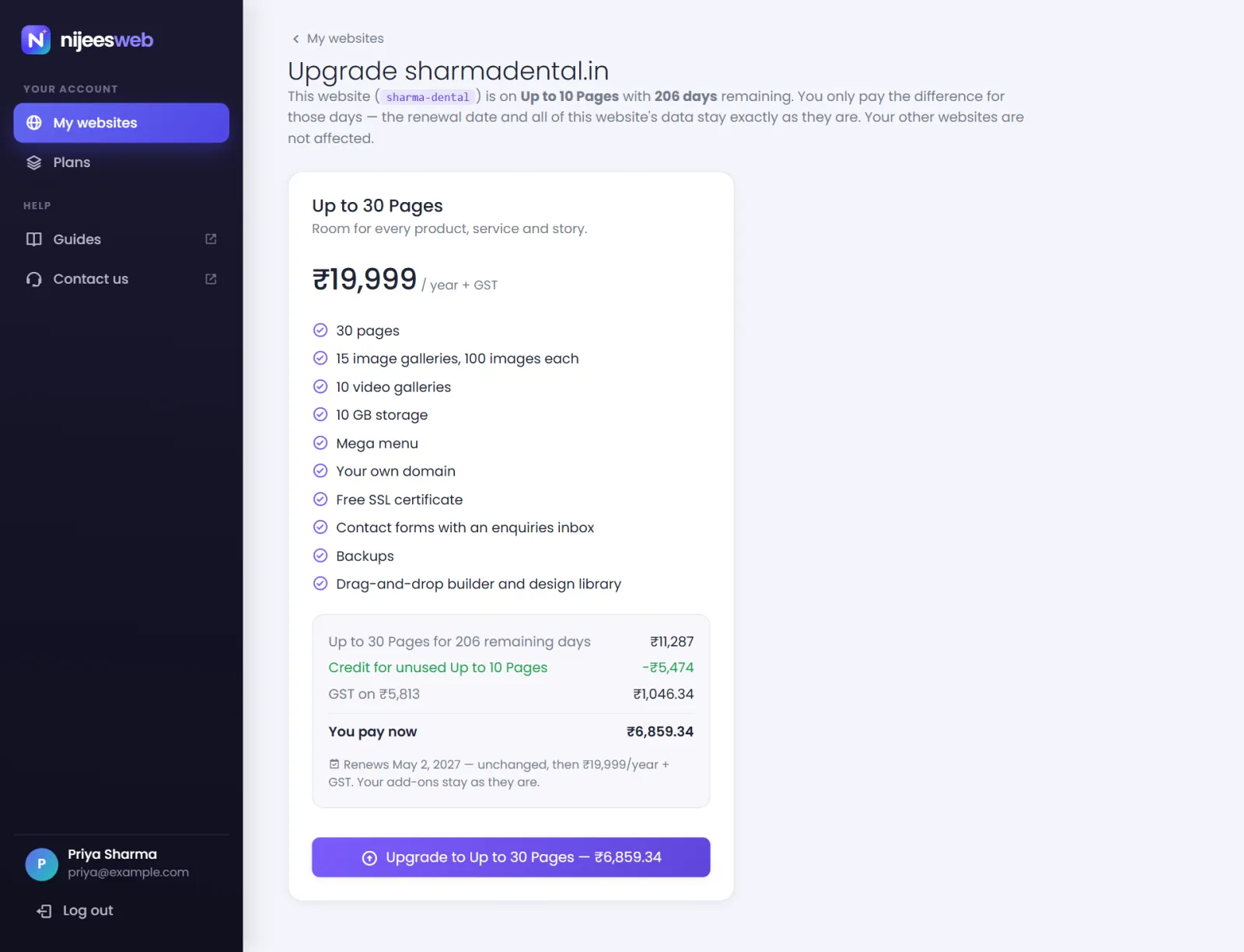
- Each higher plan shows its price for the remaining days, the credit, the GST and You pay now. Choose the plan — Upgrade to … — ₹….
- Pay on PhonePe's checkout.
The upgrade applies immediately: the new plan's pages, galleries and storage are available in your website admin at once. Your content, your add-ons and your other websites are untouched.
Good to know#
- Upgrades are available while a website is active. An expired website must be renewed first.
- If the amount is under ₹1 — on the very last days of a year — the upgrade is simply granted.
- Moving to a lower plan is not done online; contact us before your renewal. A website that holds more than a smaller plan allows keeps everything, but the ones past the new limits are switched off until there is room — see over a limit.
Was this page helpful?
Something is missing — tell us