- Website builder
- Account & billing
- Your dashboard
Your account dashboard
Everything on your NijeesWeb account dashboard — your websites, their plans, limits and renewal dates, and the buttons to renew, upgrade, buy add-ons or add a website.
Your dashboard at www.nijeesweb.com/account/dashboard is home for billing. Sign in with your NijeesWeb account (not your website's admin login).
The menu on the left has My websites (this page), Plans, these Guides and Contact us. On a phone, open it with the ☰ button at the top.
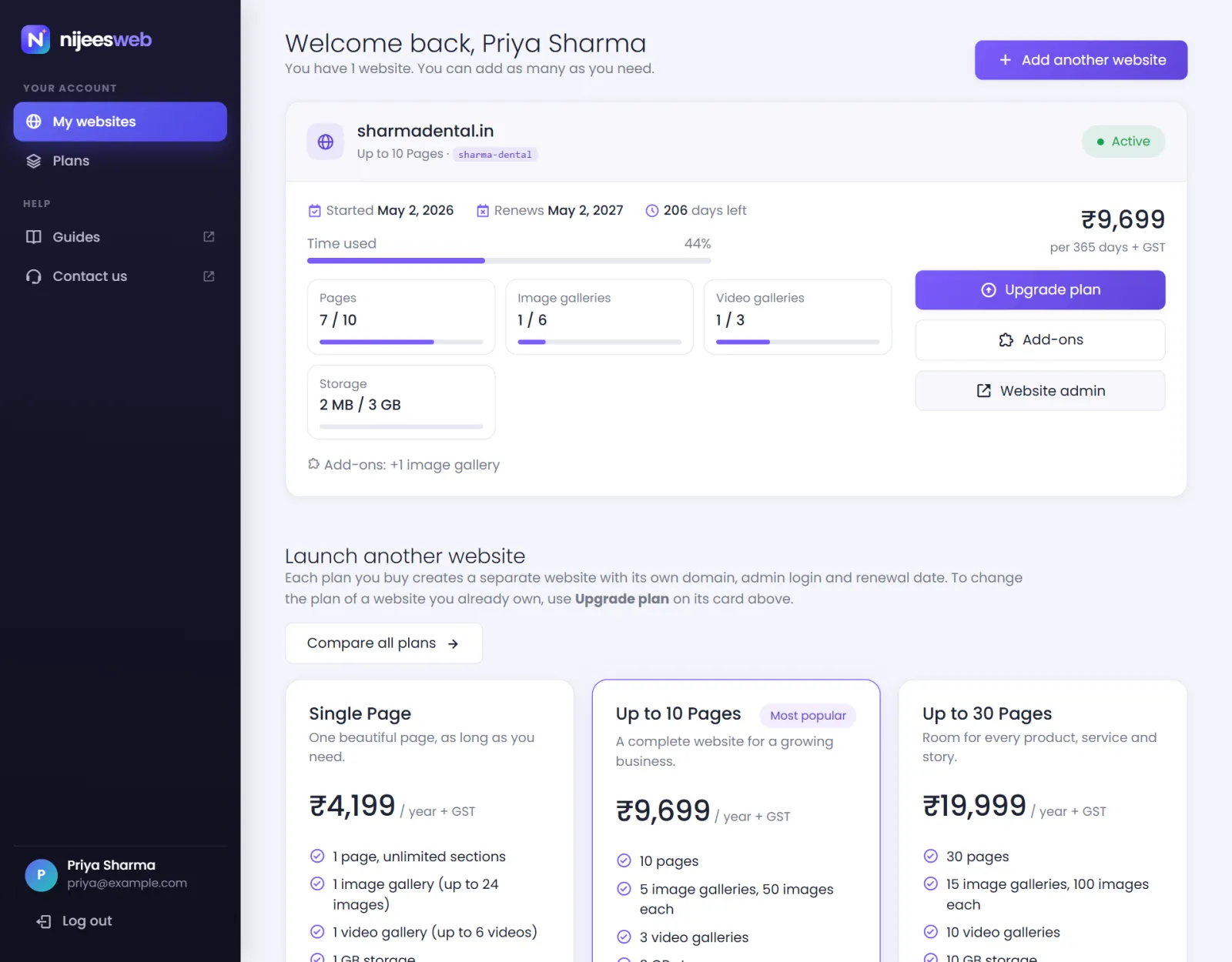
Your websites#
Each website has a card showing:
- Status — Active, Expired or Disabled.
- Plan — Single Page, Up to 10 Pages and Up to 30 Pages.
- The website ID and its domain (a link to the live site).
- Started and Renews dates, and the days left.
- Time used — a bar showing how much of the year has passed. It turns amber near the end.
- What it uses — pages, image galleries, video galleries and storage, each against what the plan and its add-ons allow. A full bar turns red. Above a limit, the tile says the extra ones are switched off — see over a limit.
- Add-ons — the ones this website holds, if any.
- The yearly price, before GST.
And the actions:
| Button | When it shows | What it does |
|---|---|---|
| Upgrade plan | Active website, higher plan available | Move to a higher plan, paying only the difference. |
| Add-ons | Active website | Add pages, galleries or storage without changing plan. |
| Renew — ₹… | Expired website | Renew for another year and bring the site back online. The amount includes the add-ons that renew with the plan, and GST. |
| Top plan — nothing higher | Active website on the largest plan | Nothing to upgrade to. |
| Website admin | Any website with a domain | Opens yourdomain/admin in a new tab. |
Add another website#
Add another website at the top (or Launch another website further down) starts a new purchase. See More than one website.
Plans#
The bottom of the dashboard lists the plans; Compare all plans → opens the plans page. Buying a plan from here always creates a new website — to change the plan of an existing one, use Upgrade plan on its card.
Signing out#
At the bottom of the menu on the left, under your name, select Log out.
Was this page helpful?
Something is missing — tell us