- Website builder
- Content
- Blog
Blog — posts and categories
Write blog posts with cover images and related posts, organise them in categories, set each post's SEO, and show posts on any page.
A blog helps customers trust you and helps search engines and AI assistants find you for the questions people ask.
1. Create categories#
Blogs › Blog Categories › Add New:
- Title — such as Dental care tips.
- URL slug — the category's address,
/blog-category/your-slug. Leave blank to build one from the title. - Cover Image (for category cards) and Banner Image (the top of the category page).
2. Write a post#
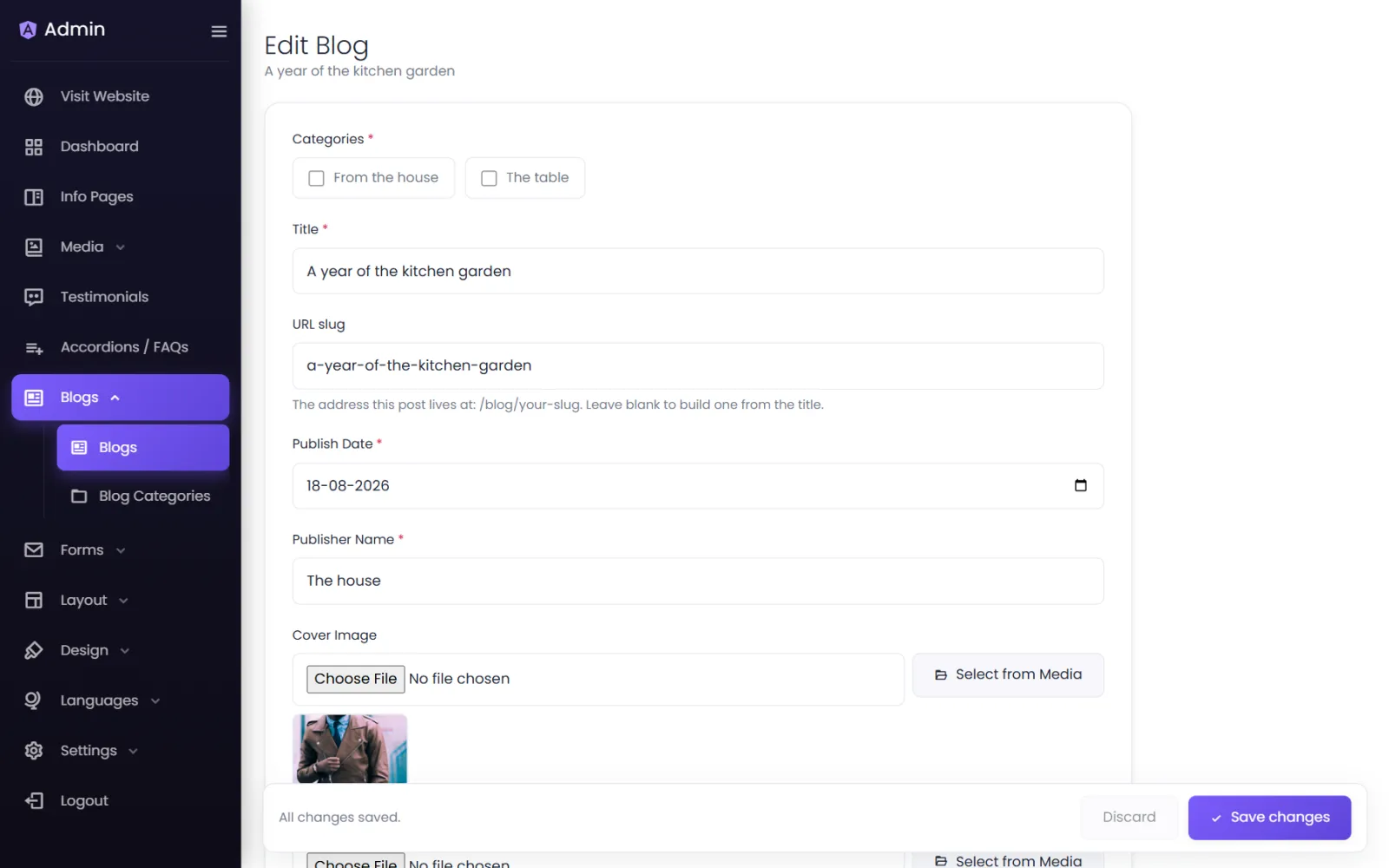
Blogs › Blogs › Add New:
- Categories — tick one or more.
- Title — the headline.
- URL slug — the post's address,
/blog/your-slug; blank builds it from the title. - Publish Date and Publisher Name (the author).
- Cover Image (shown in post lists) and Banner Image (shown at the top of the post).
- Content — write the article in the editor: headings, bold, lists, links and images.
- Related Posts — search for other posts to link: shown as "Related posts" under the article, in this order. Inactive posts are left out on the site.
- Keep Status Active to publish, or Inactive to keep it as a draft. Save.
3. Each post's SEO#
On the posts list, select SEO on a post. Under Blog SEO Settings, switch on Enable Meta Tags, then fill in Meta Title, Meta Description, Meta Keywords and any Custom Meta Tags. Writing tips are in Page SEO.
4. Show posts on your pages#
Add a Blogs element in the page builder and choose categories — or List Blog Categories for category cards. Style the list with a saved blog design or the element's card settings. See Elements.
Writing posts that get found#
- Answer one question per post, in the title: "How much do dental implants cost in Pune?"
- Answer it in the first two sentences, then explain. Search snippets and AI answers quote the opening.
- Use subheadings (H2, H3) for each part — readers scan.
- Add real numbers, local details and your own experience — what AI assistants value most is information that is specific and trustworthy.
- Link to your service pages, and to related posts.
- Publish regularly — one good post a month beats ten thin ones.
Was this page helpful?
Something is missing — tell us