- Website builder
- Building pages
- Page SEO
Page SEO — titles and descriptions
Set the title, description and keywords search engines show for each page, and add custom meta tags.
When your page appears in Google, Bing or an AI answer, two things represent it: the title (the blue link) and the description (the grey lines under it). Page SEO lets you write both for each page.
Edit a page's SEO#
- Go to Info Pages.
- Select the SEO icon (🌐) on the page.
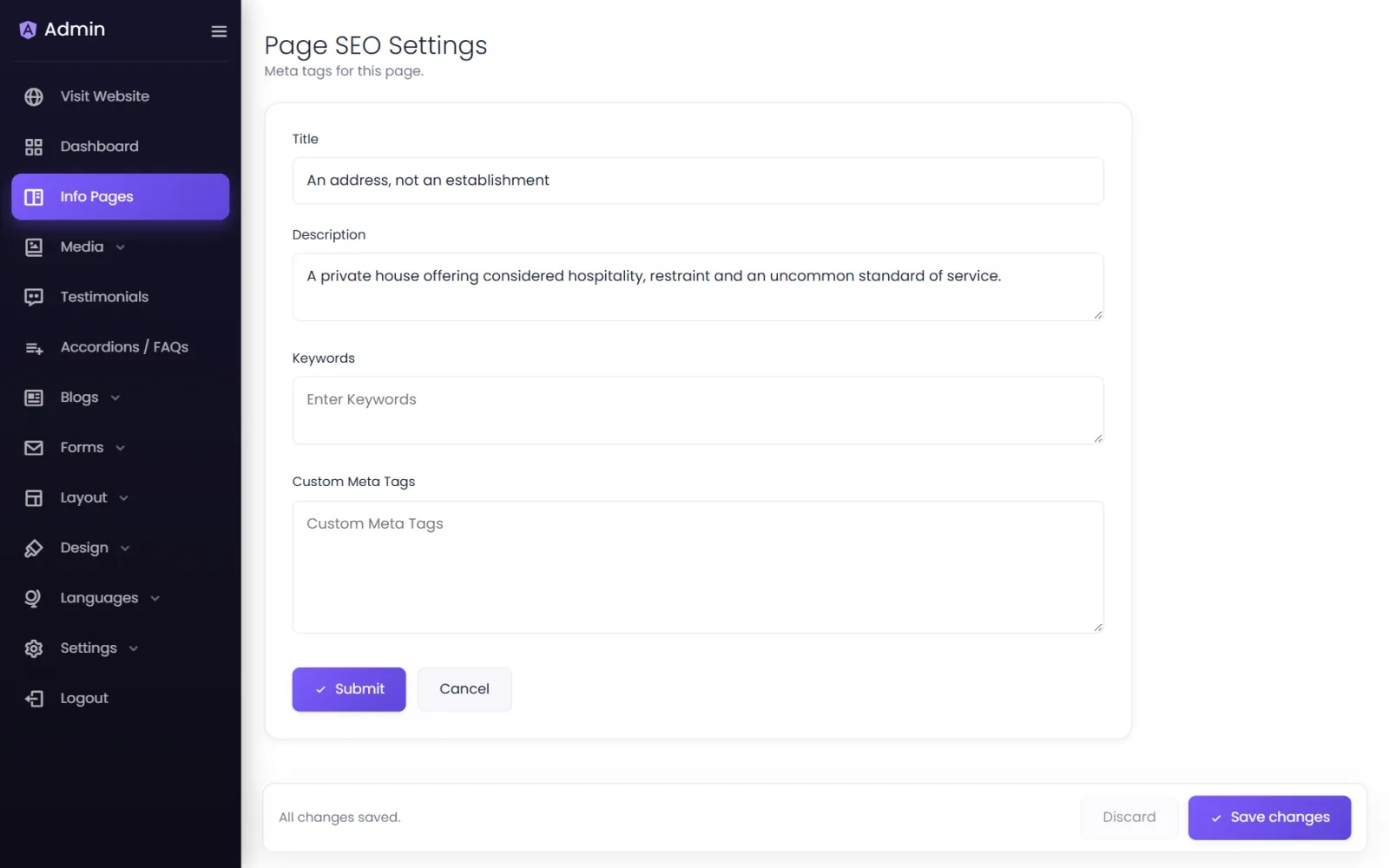
- Fill in Page SEO Settings:
- Title — the page's name in search results and the browser tab.
- Description — one or two sentences shown under the title.
- Keywords — the search phrases the page is about, separated by commas. (Google ignores this field, but other systems may read it; it also keeps you focused.)
- Custom Meta Tags — extra
<meta>tags for this page only, such as a verification tag a service asks you to add.
- Save.
Writing a good title#
- 50–60 characters — longer titles are cut off.
- Put the important words first:
Dental Implants in Pune | Sharma DentalbeatsWelcome to Sharma Dental — Implants. - Make every page's title different.
- Include your location if you serve a city: people search "bakery in Indore", not just "bakery".
Writing a good description#
- 120–155 characters.
- Say what the page offers and why to click: "Painless dental implants by specialists with 20 years' experience. Same-week appointments in Kothrud. Book online or call."
- Write for people, not robots. Google may use your text, or pick a sentence from the page.
If you leave the fields empty#
The page still gets a sensible title — your site's Meta Title followed by the page's own title, such as Sharma Dental | About us — and your site-wide description. Fill them in for your most important pages first: home, your main services, contact.
Blog posts#
Each blog post has its own SEO settings in the same format — see Blog.
Was this page helpful?
Something is missing — tell us