- Website builder
- Header, menus & footer
- Social links
Social links
Add your Facebook, Instagram, YouTube, LinkedIn, WhatsApp and other profiles — they appear as icons in your footer.
Layout › Social Links lists your social media profiles. They appear wherever your footer has a Social Links element.
Add a profile#
- Select Add New.
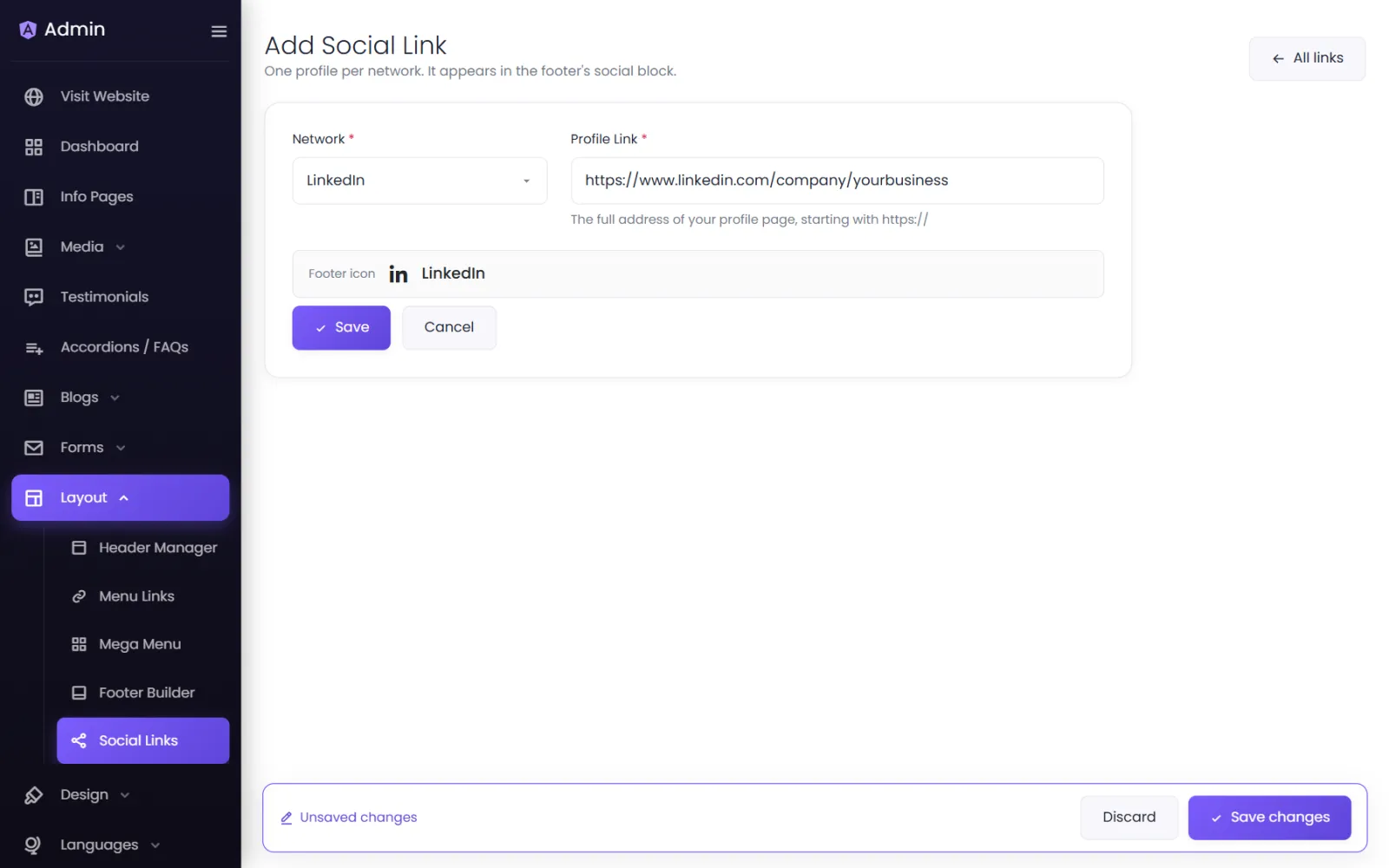
- Choose the Network: Facebook, Instagram, X, YouTube, LinkedIn, Pinterest, TikTok, WhatsApp, Telegram or Threads. The Footer icon preview shows its icon.
- Paste the Profile Link — the full address of your profile page, starting with https://.
- Save.
Order, edit, delete#
On the list, drag profiles to change the order of the icons. Each has Open (to check the link), Edit and Delete.
Icon size and colour#
Set them in Footer Builder › Design › Social Icon Styles.
Getting the right link#
- Instagram:
https://www.instagram.com/yourname - Facebook:
https://www.facebook.com/yourpage - YouTube:
https://www.youtube.com/@yourchannel - LinkedIn:
https://www.linkedin.com/company/yourcompany - WhatsApp:
https://wa.me/919876543210— country code and number, no+, spaces or dashes.
Was this page helpful?
Something is missing — tell us