- Website builder
- Design & themes
- The design library
The design library
Ready-made designs for buttons, forms, accordions, galleries, testimonials and blog lists — create your own, set a site default, or import from NijeesWeb.
Elements such as buttons, forms and galleries can look many different ways. The design library keeps each look as a reusable design: style it once, then pick it for any element — and change every element using it from one place.
The design screens#
Under Design in the admin menu:
| Screen | Designs for |
|---|---|
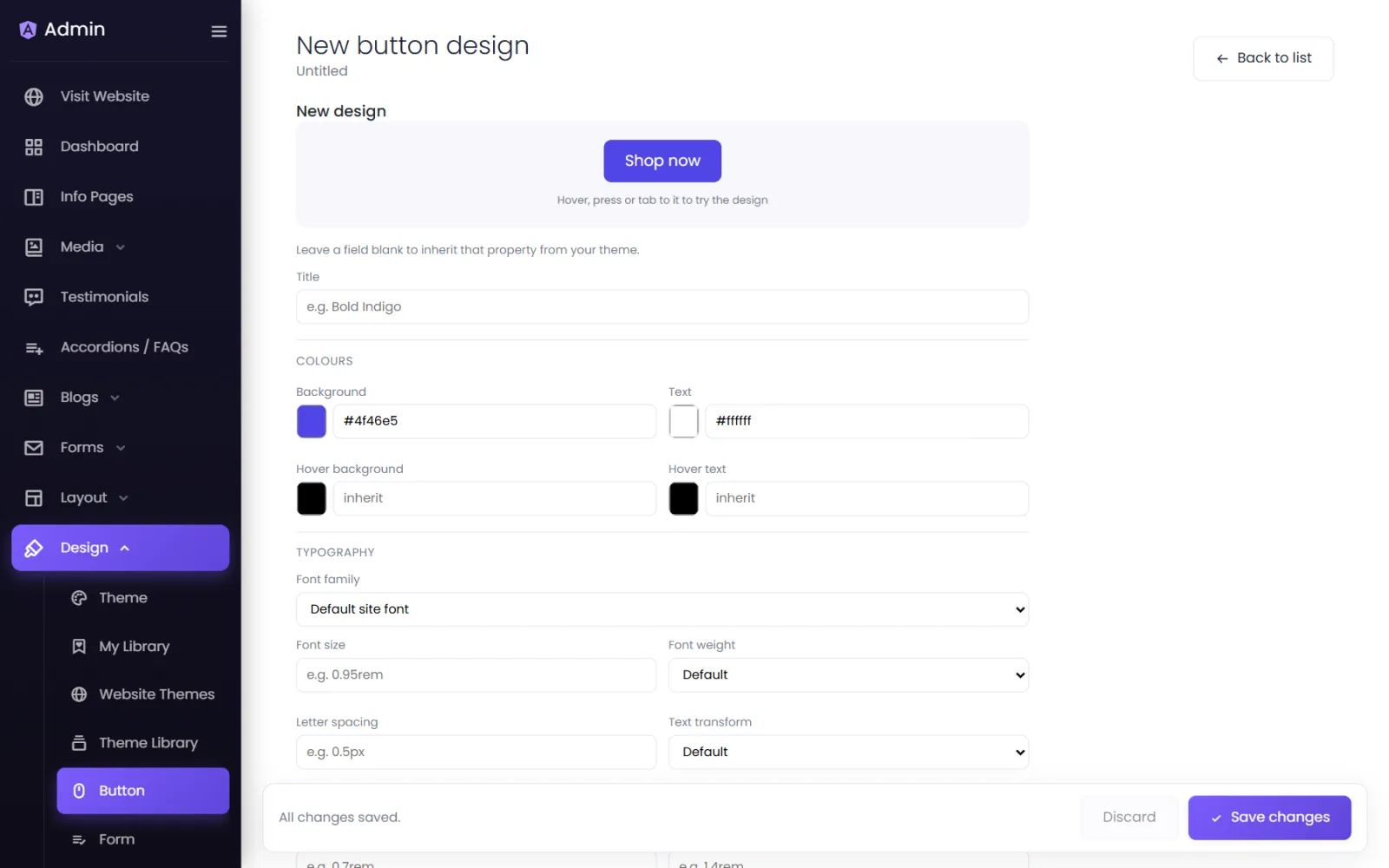
| Button | Buttons — colours, type, spacing, border, shadow, icon and hover effect. |
| Form | Forms — fields, labels and the submit button. |
| Accordion | Accordions and FAQs — headers, panels, icons and animation. |
| Image Gallery / Video Gallery | Galleries — grid or carousel, gaps, shapes and captions. |
| Testimonial | Testimonial cards — layout, quote and name styles. |
| Blog | Blog post lists — cards, image, title, date and excerpt. |
Create a design#
- Open the screen, for example Design › Button, and start a new design.
- Give it a Title you will recognise, such as Bold Indigo.
- Set its properties. The live preview updates as you go — for buttons, hover, press or tab to it to try the design.
- Leave any field blank to inherit that property from your theme.
- Select Create design.
Make it the site default#
Switch on Make this my site button (or form, accordion…). Every element set to follow the site design now uses it. On the default design itself you'll see: This is your site button. Changes here restyle every button that follows the site theme.
Use a design on one element#
In the page builder, open an element's Design tab and choose it under Saved … design — for example Saved button design.
Import designs from NijeesWeb#
- Design › Import Designs — ready-made button, form, accordion, gallery, testimonial, blog, header and footer designs included with your plan. Select View details to preview, then import.
- Design › Theme Library — complete design themes (colours plus matching designs).
Imported designs are copied into your site; they stay yours even if your plan changes.
Was this page helpful?
Something is missing — tell us