- Website builder
- Settings & business tools
- General settings
General settings
Your business details, favicon, site font, header and footer switches, WhatsApp and scroll-to-top buttons, map and analytics links, cookie bar, spam protection and meta information.
Settings › General Settings — titled Website Settings — holds the details and switches that apply to your whole website. Save with Save changes in the bar at the bottom, or Ctrl + S.
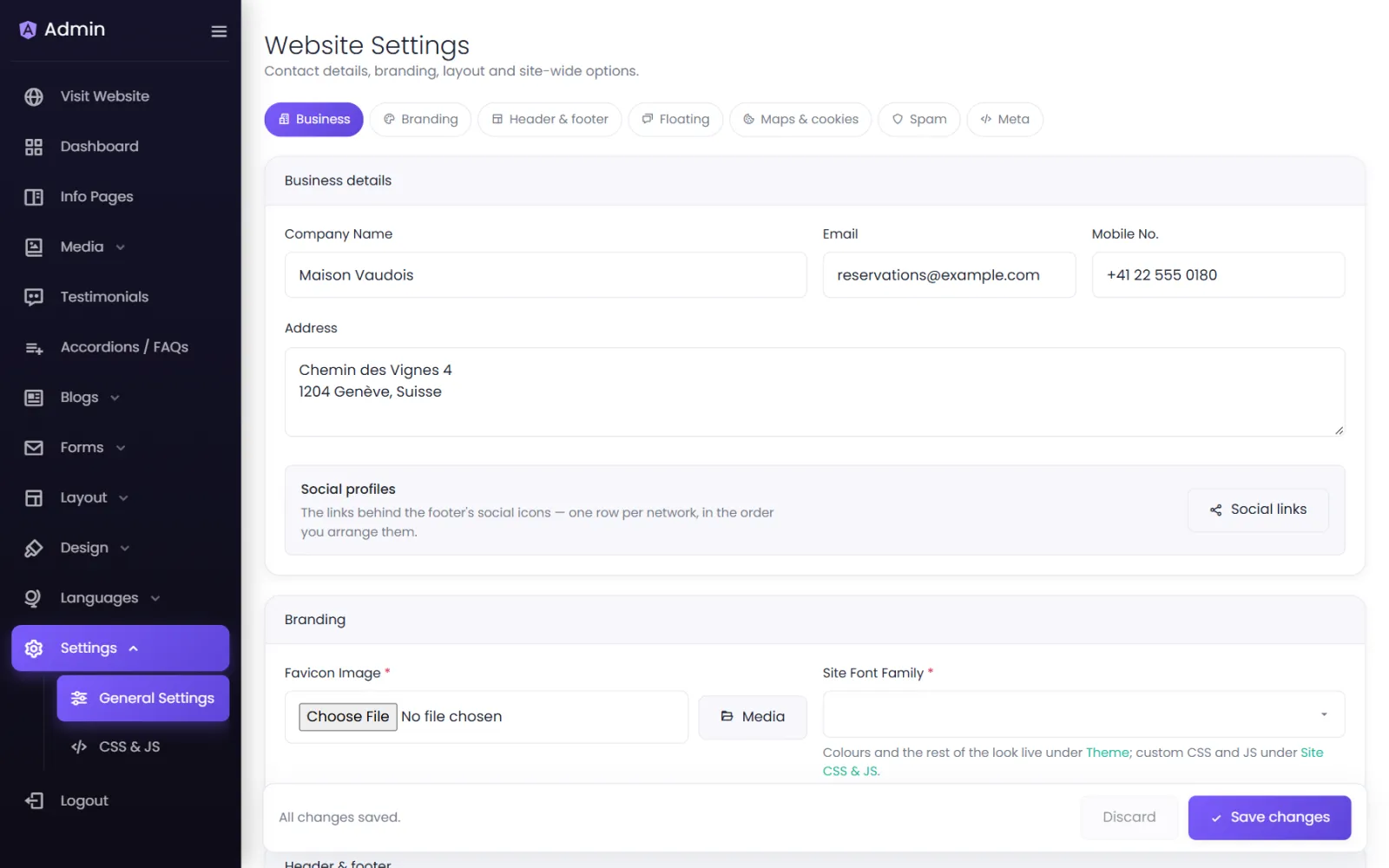
Business details#
Company Name, Email, Mobile No. and Address. They appear in your site's contact areas and feed the structured data search engines read. Keep them identical to your Google Business Profile.
Social profiles#
A shortcut to Social Links, where you add your profiles.
Branding#
- Favicon Image — the small icon in browser tabs. A square image, at least 192 × 192 px.
- Site Font Family — the default font across the site. Colours and the rest of the look are in Theme.
Your logo is set in the Header Manager.
Header & footer#
- Show header / Show footer — switch either off entirely (rare; for a single landing page, say).
- Header Type / Footer Type — General (built with the Header Manager and Footer Builder) or Custom (your own HTML — see Custom header & footer code).
Floating actions#
- WhatsApp Chat — a floating WhatsApp button. See WhatsApp button.
- Scroll To Top — show scroll-to-top once the page is scrolled.
Maps, analytics & cookies#
- Google Location Map Link — the link to your business on Google Maps.
- Google Analytics Link — your Google tag snippet. See Google Analytics.
- Cookie consent — see Cookie consent.
Spam protection (Google reCAPTCHA)#
Protects your forms from spam. See Spam protection.
Meta information#
Your site's default search title, description and sharing image. See Site-wide SEO.
Was this page helpful?
Something is missing — tell us