- Website builder
- Languages
- Add a language
Add a language
Add Hindi, Tamil or any of 125 languages, keep it as a draft while you translate, then switch your multilingual site on.
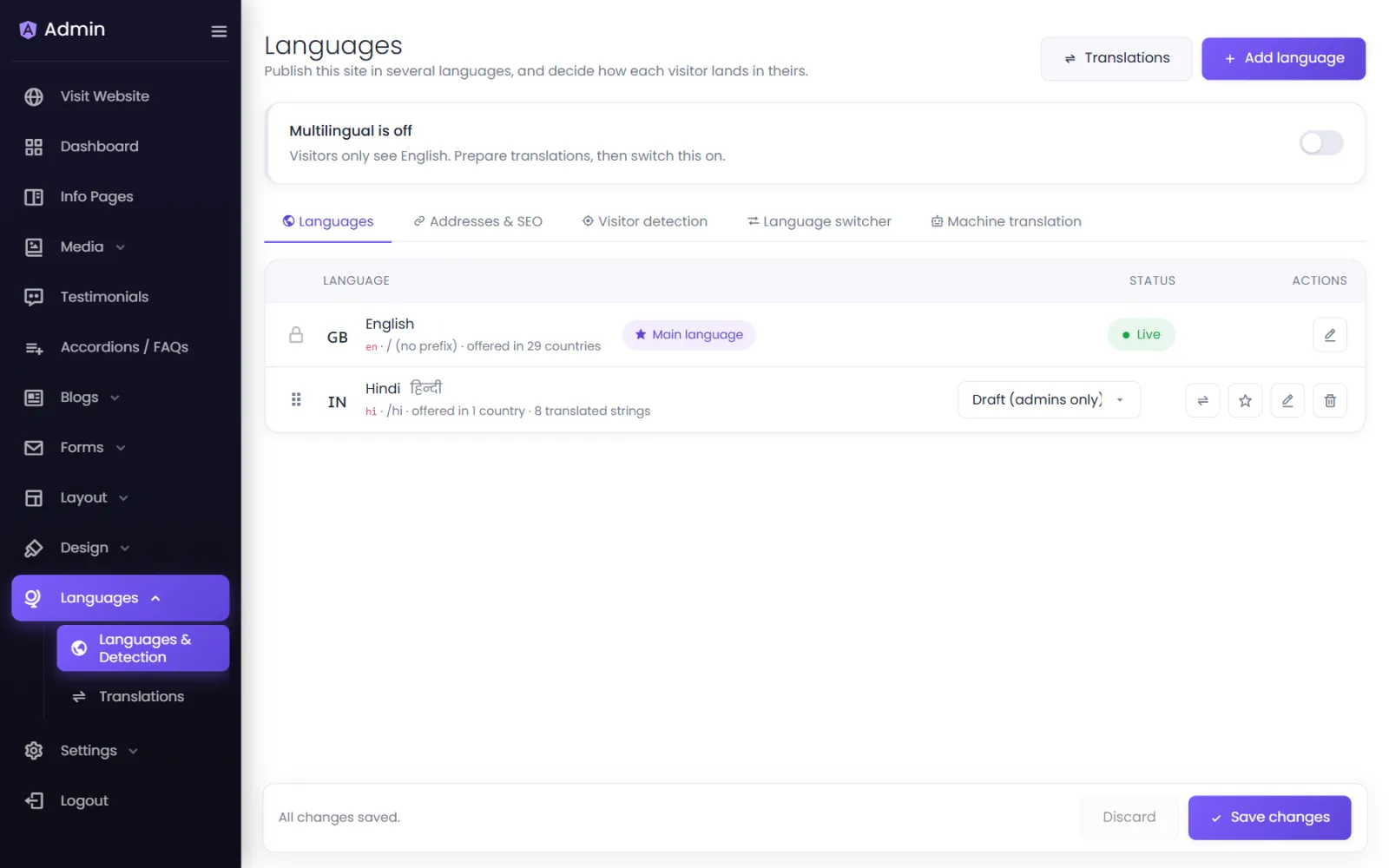
Your website can be published in as many languages as you need. Each language gets its own addresses, so each version can be found in search on its own. Everything starts under Languages › Languages & Detection.
1. Add the language#
- Select Add language.
- Search the list — Search 125 languages — by name in English or in the language itself (Hindi, हिन्दी), or by code (hi).
- Check the details:
- Name and Its own name (Hindi, हिन्दी).
- Address code — the part of the address, as in
/hi/about. Blank uses the code. - Search-engine tag — for a regional audience, such as
hi-INores-MX. - Writing direction — Left to right, or Right to left for Urdu and Arabic.
- If a text is missing, try another language first, then the main language.
- Offer to visitors from — countries whose visitors are offered this language.
- Start as Draft — only admins see it. Save.
2. Translate#
While the language is a Draft, translate your pages, menus and footer at your own pace — see Translate your content. Visitors see nothing yet.
3. Go live#
- Set the language's status to Live.
- Switch on Multilingual at the top of the screen. Until then, visitors only see your main language.
Each language row has Translate, Make this the main language, Edit and Remove.
Language statuses#
| Status | Who sees it |
|---|---|
| Live | Everyone. |
| Draft (admins only) | Only you, while signed in — for checking translations on the real site. |
| Off | Nobody; translations are kept. |
Where visitors switch language#
Under Where visitors can change language, choose any of: In the header, and in the phone menu, At the bottom of the footer, and A floating button on every page. Under How it looks, choose a dropdown or side-by-side, show each language as Español, Spanish or ES, and decide on flags.
How visitors land in their language#
Under When someone arrives, switch on Find out which language each visitor prefers. Choose the signals and their order — the browser's language, the visitor's country and their earlier choice — and how many days to remember a choice. Visitors are offered their language with a gentle suggestion bar; they are never trapped in a language they did not choose.
Test a visitor shows what a visitor with a given browser language and country would get. Save first to test changes.
Was this page helpful?
Something is missing — tell us