- Website builder
- Getting started
- Create your account
Create your NijeesWeb account
Sign up for a free NijeesWeb account — the place where you buy, renew and manage your websites.
Your NijeesWeb account is where you buy plans, pay, renew and upgrade. Creating it is free and takes under a minute — you are not charged anything until you choose a plan.
Sign up#
- Go to www.nijeesweb.com/account/register, or select Start building at the top of any page.
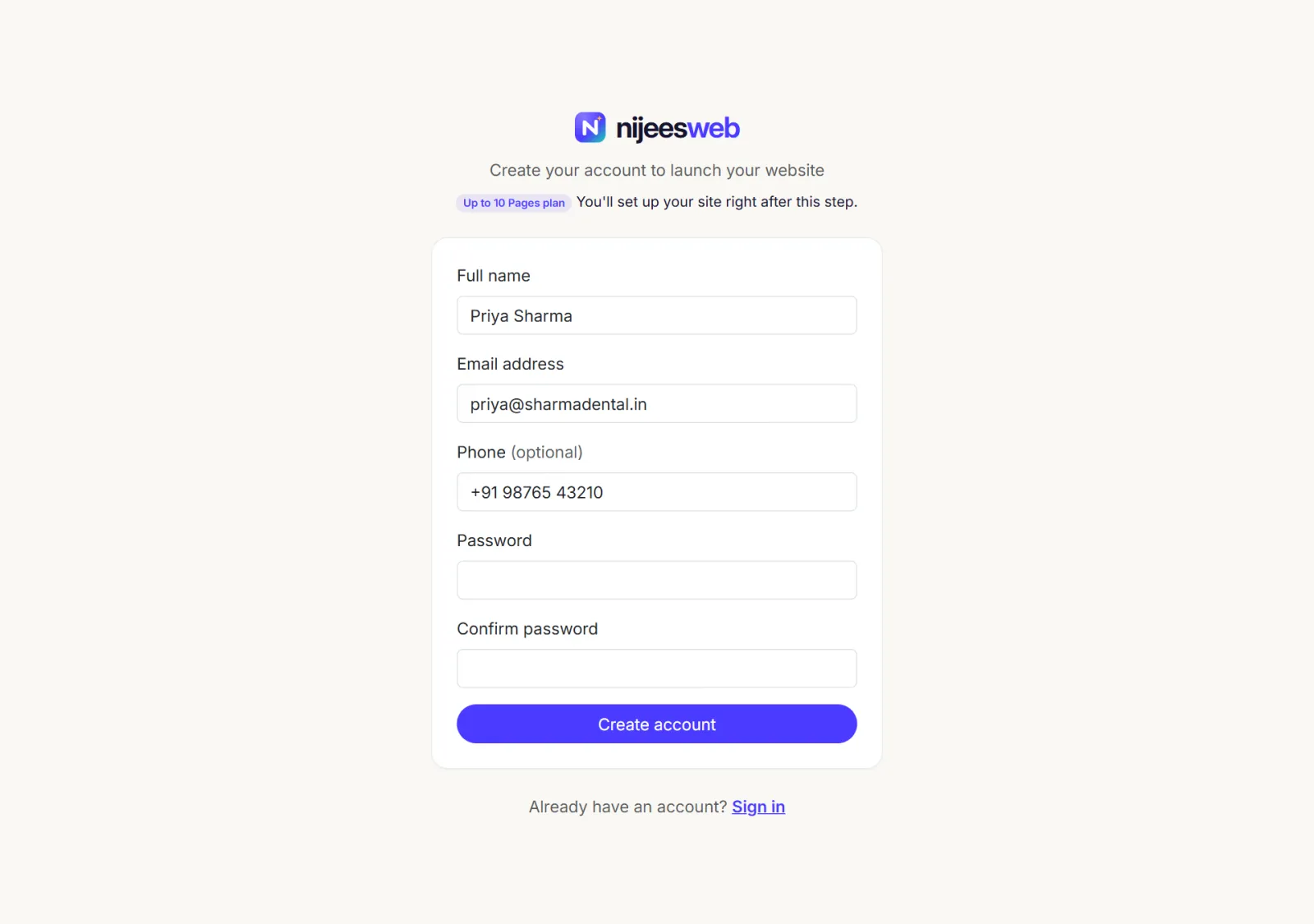
- Fill in the form:
- Full name — your name, or your business's.
- Email address — you will sign in with this, and we send renewal reminders here.
- Phone (optional) — useful if our team needs to reach you about a payment.
- Password — at least 6 characters.
- Confirm password — type the same password again.
- Select Create account.
You are signed in straight away and taken to your dashboard. If you arrived from the pricing page by choosing a plan, you go straight on to setting up that plan instead.
Sign in later#
Go to www.nijeesweb.com/account/login, or select Sign in at the top of any page, and enter the email and password you chose. Tick Remember me on your own computer to stay signed in.
If something goes wrong#
| What you see | What it means | What to do |
|---|---|---|
| The email has already been taken. | An account with that email already exists. | Sign in instead. If you have forgotten the password, contact support. |
| The password confirmation does not match. | The two password boxes are different. | Type the same password in both. |
| The password must be at least 6 characters. | The password is too short. | Choose a longer password. |
| The spam check did not run or a similar message | The reCAPTCHA check could not load, often because of an ad blocker. | Pause the ad blocker for nijeesweb.com, or try another browser. |
| 429 — Too Many Requests | Too many attempts in a minute from your connection. | Wait one minute and try again. |
More fixes are in Account sign-in problems.
Your account and your website are different logins#
Your account login (this page) is not the login for editing your website. Each website gets its own admin login, which you create when you set up the website. You can use the same email address for both.
Was this page helpful?
Something is missing — tell us