- Online store builder
- Account & billing
- Expired store
When a store expires
What customers see when a plan ends, what happens to your data, orders in progress, and how to get back online.
When a store's year ends without a renewal, the store goes offline: the storefront, the admin panel and the store's apps all close. Visitors see a short, clear page.
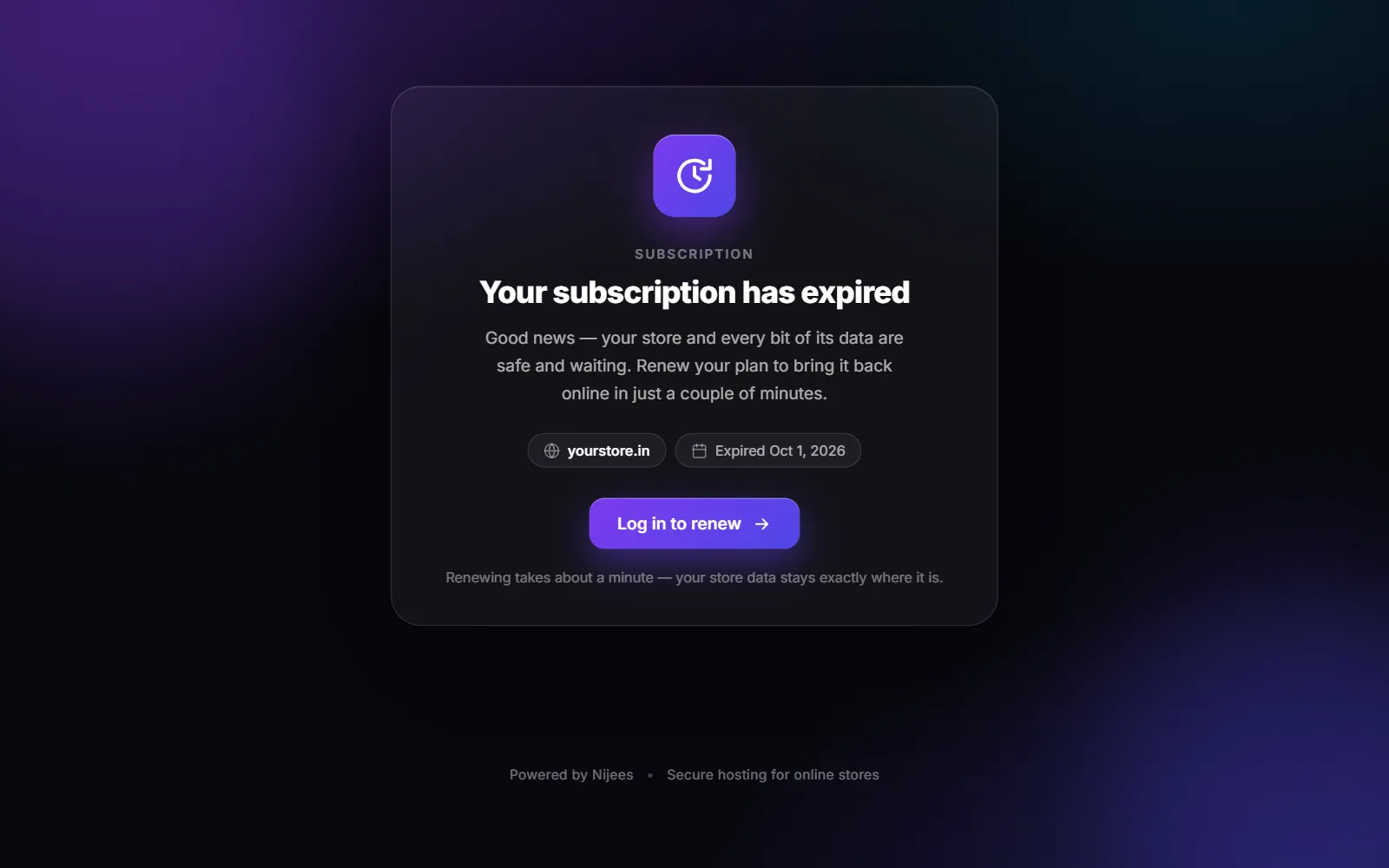
What visitors see#
| Page | Why | Fix |
|---|---|---|
| Your subscription has expired | The plan's end date has passed. | Renew — the button Log in to renew takes you to your store account. |
| This store isn't active yet | The store is not linked to an account with a plan. | Sign in to activate it, or contact support. |
| We couldn't find this store | The address points to the store servers, but no store uses it. | Check the domain — see Store offline. |
The expired page shows the store's domain and the date it expired.
Your data is safe#
Nothing is deleted when a plan expires — products, orders, customers, pages and settings stay exactly as they were. Your store and every bit of its data are safe and waiting. Renew and it comes back as it was, in a couple of minutes.
Orders in progress#
While the store is offline you cannot open orders in the admin panel, print labels or process returns, and customers cannot see their orders. Couriers carry on delivering parcels already shipped. Renew before the end date to avoid the gap.
Was this page helpful?
Something is missing — tell us