Blog
Write blog posts with categories, cover and banner images, a publisher and date, related posts and SEO — and show them on your pages.
A blog brings visitors from Google and answers customers' questions — How to drape a Banarasi saree, Size guide for kurtas. Posts live at yourdomain/blog/post-name.
Blog categories#
Blogs → Blog Categories → Add New: a Title, an optional URL slug (/blog-category/your-slug; leave blank to build one from the title), a Cover Image, a Banner Image and Status.
Write a post#
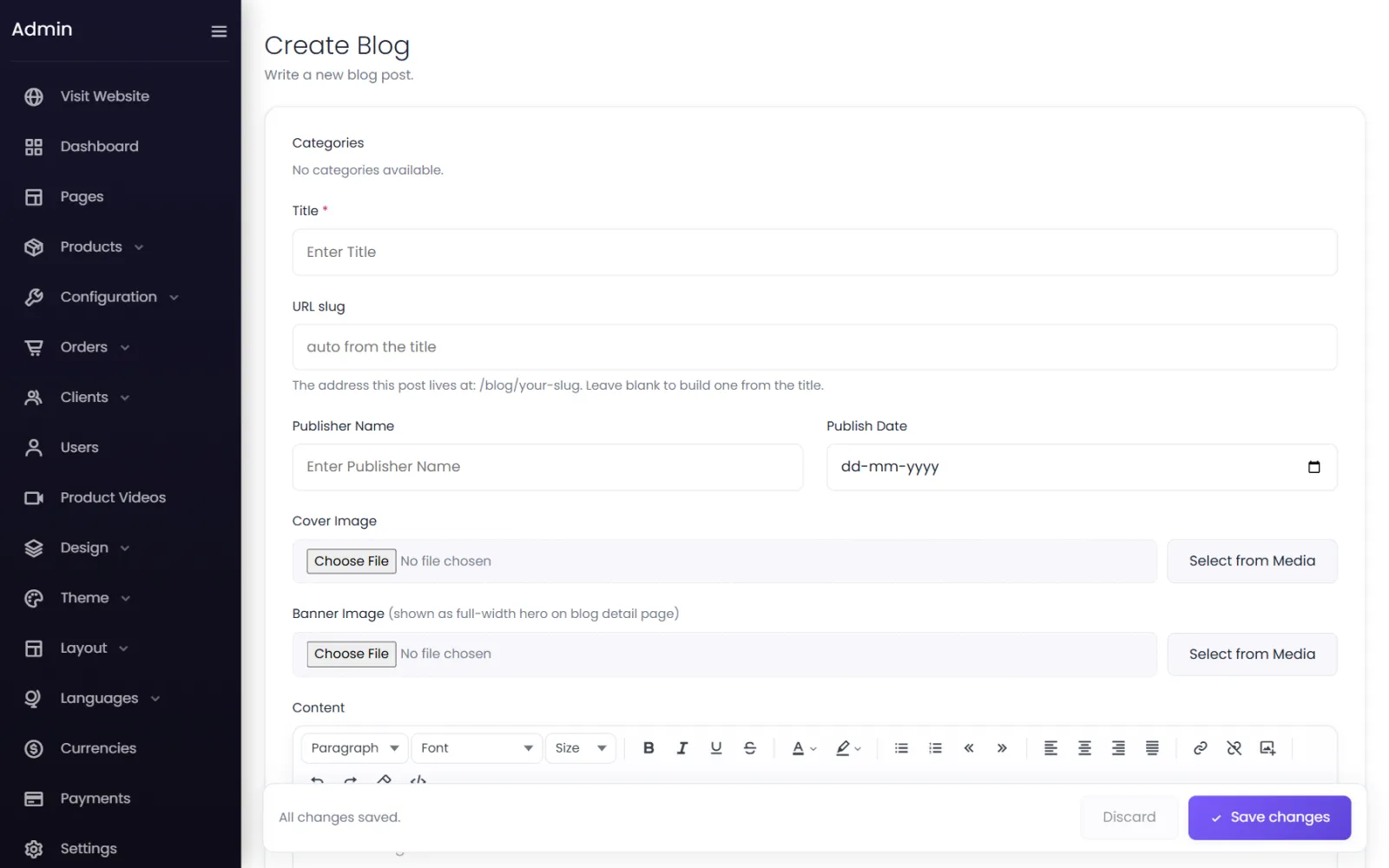
- Go to Blogs → Blogs and select Add New.
- Fill in:
- Categories — one or more.
- Title — the headline.
- URL slug — leave blank to build
/blog/your-slugfrom the title. - Publisher Name and Publish Date.
- Cover Image — shown on blog cards in lists.
- Banner Image — shown as a full-width hero on the post's page.
- Content — the post, with headings, lists, links and images.
- Related Posts — search posts by title to link them; they are shown as Related posts under the article, in your order.
- Status — Active to publish.
- Select Submit.
SEO for each post#
On the blog list, the SEO button on a post's row opens Blog SEO. Switch on Enable Custom SEO and fill in Meta Title, Meta Description, Meta Keywords and Custom Meta Tags (raw HTML, such as <meta name="robots" content="index, follow">). All four are needed — without the custom tags, the others are not used. See SEO and sharing.
Show posts on your pages#
Add the Blogs element to any page in the page builder — for example the three latest posts on your home page. The look of blog cards comes from Design → Blog cards.
Ideas that sell#
- Buying guides and size charts for your products — linking to the products.
- How-to posts: care, styling, using the product.
- Behind the scenes: how your products are made.
Link to products from posts, and link to useful posts from product descriptions.
Was this page helpful?
Something is missing — tell us