- Online store builder
- Storefront design
- Menus and mega menu
Menus and the mega menu
Build the header menu from direct links and dropdowns — including automatic category and brand dropdowns — or switch to a designed mega menu.
Your header shows one menu at a time: the general menu built under Layout → Menu Links, or a designed mega menu.
Menu links#
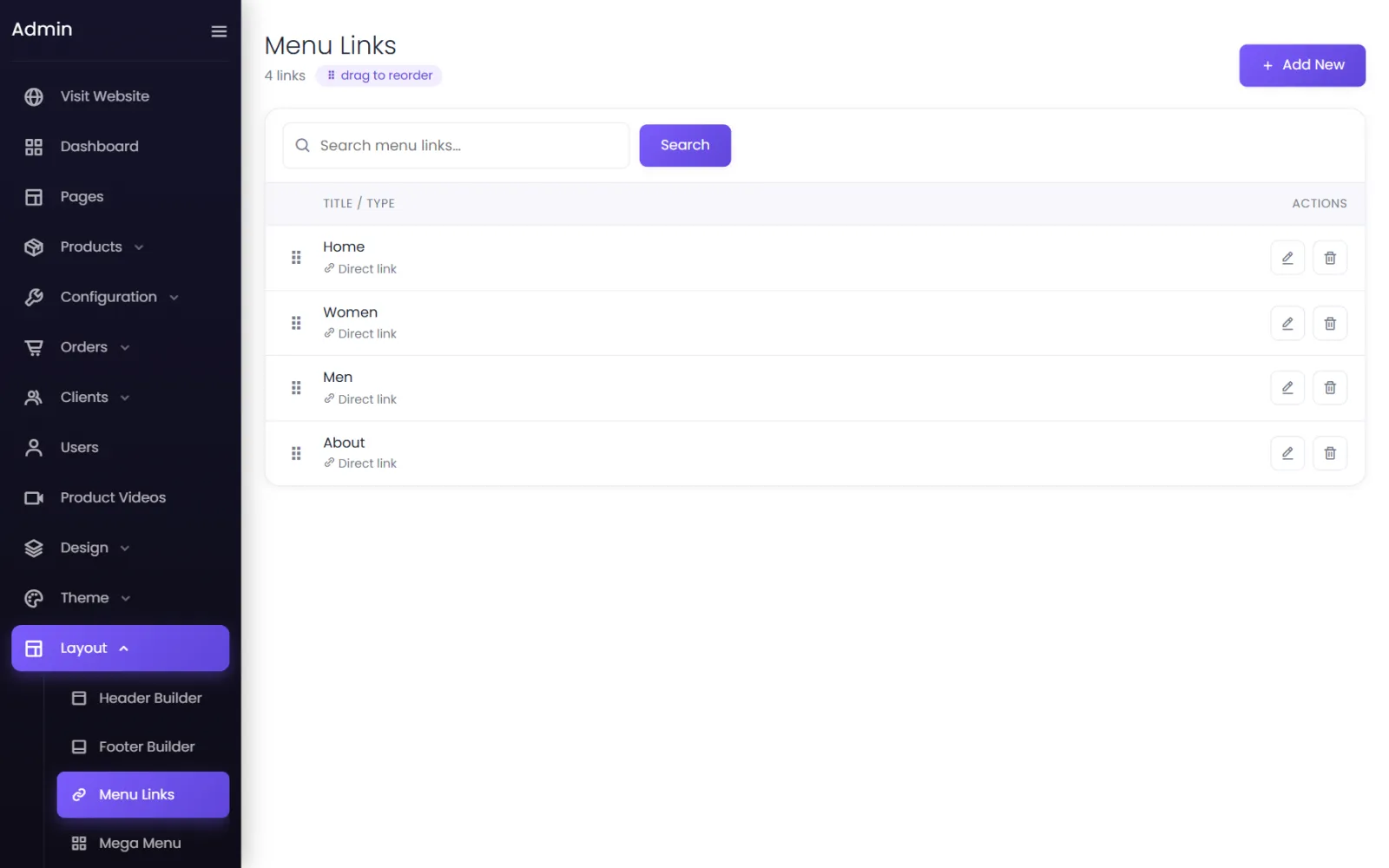
Go to Layout → Menu Links and select Add New. Choose the Type:
- Direct Link — one link: a page, a category, a brand, a product or any URL. Set the Link Text and where it goes, and whether to Open in a new window.
- Dropdown — a menu item that opens a list. Add its Dropdown items: each is a link, or a sub-dropdown that opens its own list beside it. Drag them into order; Expand all / Collapse all help with long menus.
- Categories Dropdown — lists every live category automatically. Tick Show sub-categories as nested dropdowns to open them beside each parent (on phones, as a page of their own).
- Brands Dropdown — the same for brands.
Drag rows in the Menu Links list to set the order across the header.
The mega menu#
A mega menu opens designed panels from the menu bar — columns of links, pictures, text and buttons, laid out however you like. Great for stores with many categories.
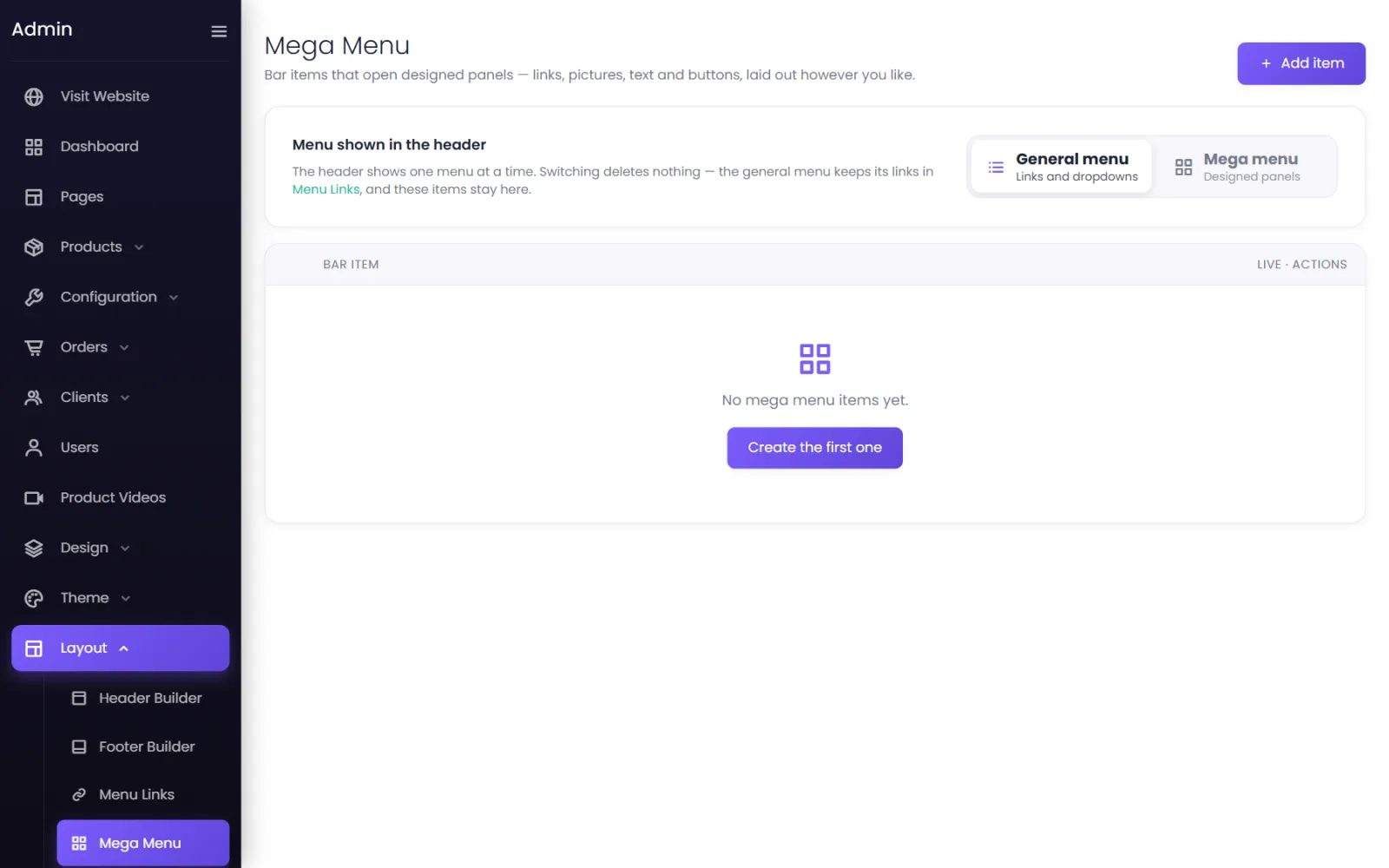
- Go to Layout → Mega Menu and select Add item (or Create the first one).
- Each bar item is a word in the menu bar, with a panel you design: links, images, text and buttons.
- Set items live, and drag them into order.
- At the top, switch Menu shown in the header from General menu to Mega menu.
Switching deletes nothing: the general menu keeps its links in Menu Links, and the mega menu items stay here. Until at least one mega menu item is live, the header keeps showing the general menu.
On phones#
Both menus collapse into the menu button on small screens, with dropdowns opening as their own pages.
Was this page helpful?
Something is missing — tell us