- Online store builder
- Shipping & GST
- GST and taxes
GST and taxes
Set up GST rates, give every product its rate and HSN code, and understand how tax is added at checkout and split into CGST, SGST or IGST on invoices.
GST in your store works in three places: the tax rates you can choose from, the rate and HSN code on each product, and your GST details printed on invoices.
1. Your tax rates#
Configuration → Taxes lists the GST percentages you can pick on a product. The starter store has 0%, 5%, 9% and 18%.
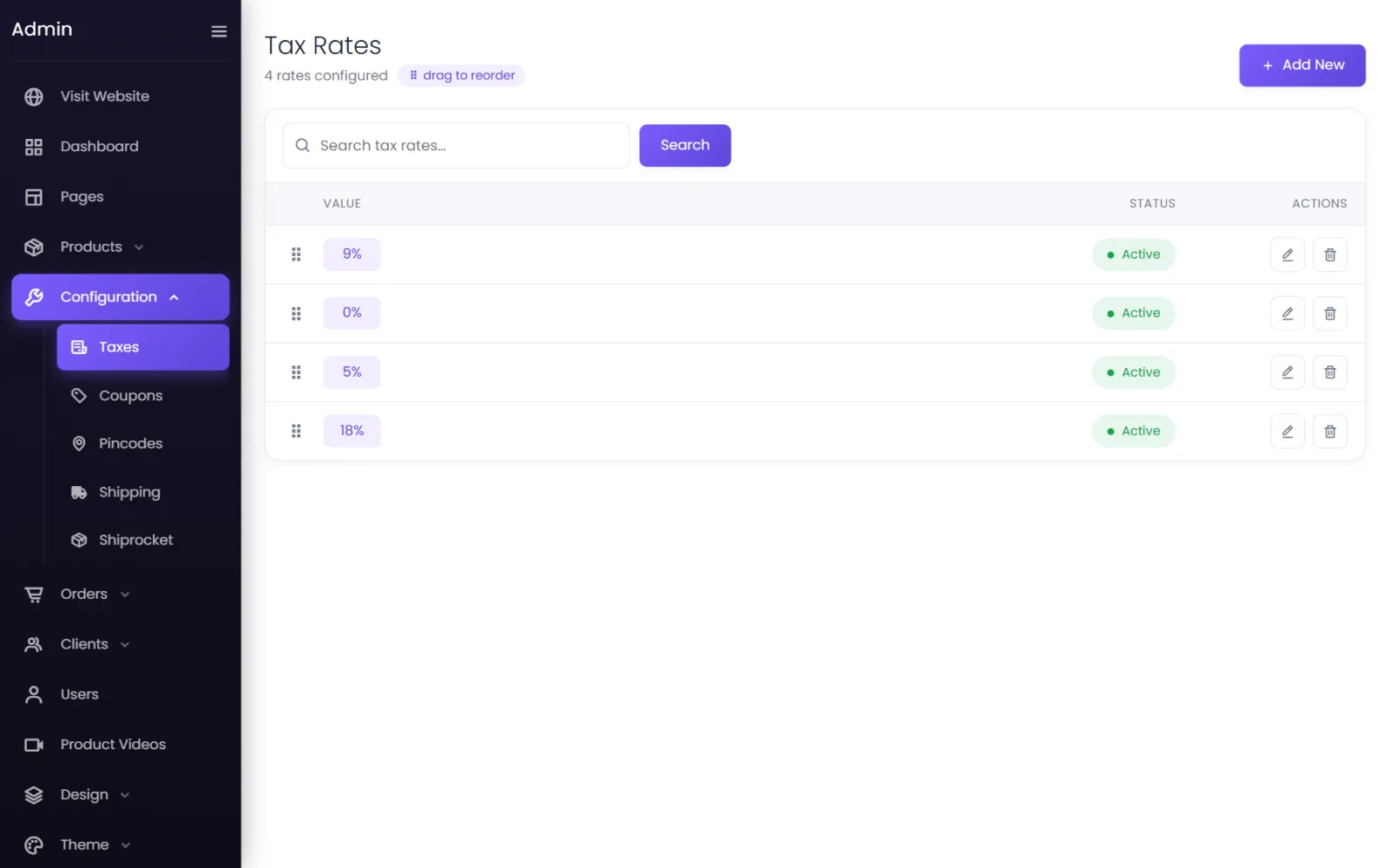
To add one — say 12% — select Add New, enter 12 as the Value, leave Status on Active, and select Submit. Delete rates you never use so nobody picks them by mistake.
2. A rate and HSN code on every product#
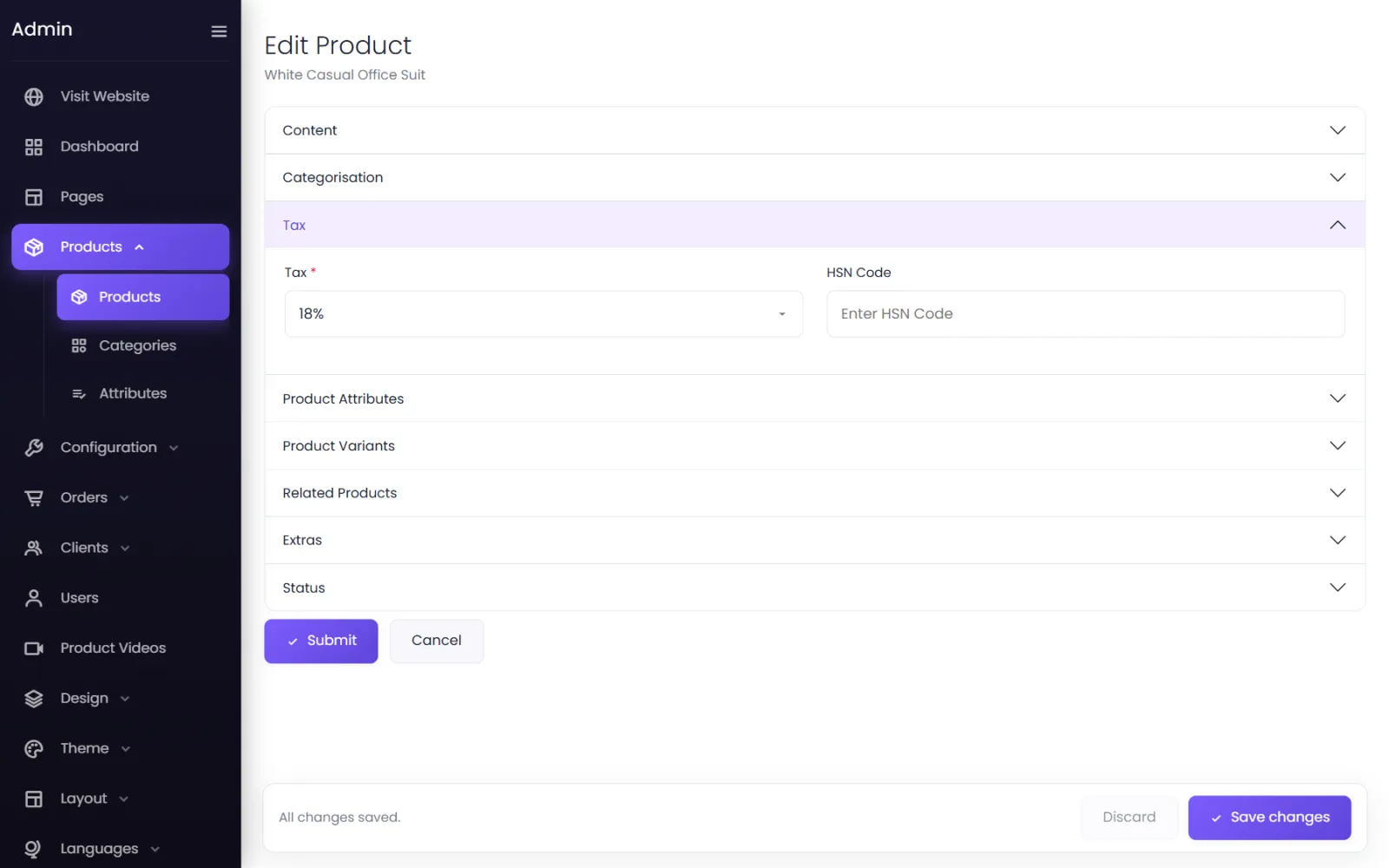
On the product form, open Tax:
- Tax — the product's GST rate.
- HSN Code — the product's HSN (or SAC) code, printed on the invoice and in the HSN-wise tax summary.
3. How tax is charged#
Prices you enter are before GST. At checkout, each item's tax is its selling price × quantity × its rate, and the cart shows it as a separate Tax line:
| Amount | |
|---|---|
| Subtotal (2 × ₹3,999) | ₹7,998 |
| Tax (18%) | ₹1,439.64 |
| Shipping | ₹110 |
| Total | ₹9,547.64 |
A coupon discount is taken off the subtotal; the tax is worked out on the item prices. Each order keeps the rate it was charged at, so changing a product's rate later never changes old invoices.
Want customers to pay a round figure including GST? Work backwards: for ₹1,000 including 18% GST, enter 847.46.
4. Your GST details on invoices#
Orders → Invoices & Labels holds what your tax invoice prints:
- GSTIN — leave it blank if you are not GST-registered; invoices then print as a plain Invoice.
- PAN — read from your GSTIN when left blank.
- State — your registered state. When the customer's delivery address is in the same state, the invoice splits the tax into CGST + SGST; otherwise it charges IGST.
- HSN-wise tax summary — switch on to print the summary table GST asks for.
See Invoices and labels.
Common questions#
Can different products have different rates?#
Yes — that is what the rate on each product is for. A cart with a 5% item and an 18% item charges each at its own rate.
Is GST charged on shipping?#
No. The tax line covers the products only; the shipping charge is added as it is.
I am not registered for GST. What do I do?#
Give every product the 0% rate and leave GSTIN blank under Invoices & Labels. Your invoices print as a plain Invoice, with no tax.
Are taxes charged to customers abroad?#
Yes — the same rates apply to every cart. If you export, ask your accountant whether you should sell abroad at 0%, and set up your currencies and rates accordingly.
Was this page helpful?
Something is missing — tell us