- Online store builder
- Storefront design
- Design library
The design library
Saved designs for buttons, forms, accordions, galleries, testimonials and blog cards — create your own or import ready-made ones included with your plan.
Elements such as forms, accordions and testimonials take their look from a saved design. The Design menu holds them all:
| Design → | Styles |
|---|---|
| Product, Category, Brand | Cards in grids and carousels — see Product cards. |
| Button | Button styles. |
| Form | Forms: fields, labels, the submit button. |
| Accordion | FAQ blocks. |
| Image Gallery, Video Gallery | Gallery layouts — grid or carousel, gaps, shapes. |
| Testimonial | Testimonial cards or sliders. |
| Blog cards / designs | How blog posts are listed. |
Use a design#
In the page builder, open the element's Design tab and choose the saved design — for example Saved form design. One design can be used by many elements; edit it once and they all change.
Create your own#
Open the design type in the Design menu, select Add New, adjust the settings with the live preview, and save.
Import ready-made designs#
Design → Import Designs lists the designs included with your plan, in tabs: Product cards, Brand cards, Category cards, Buttons, Forms, Accordions, Image galleries, Video galleries, Testimonials, Blogs, Headers and Footers.
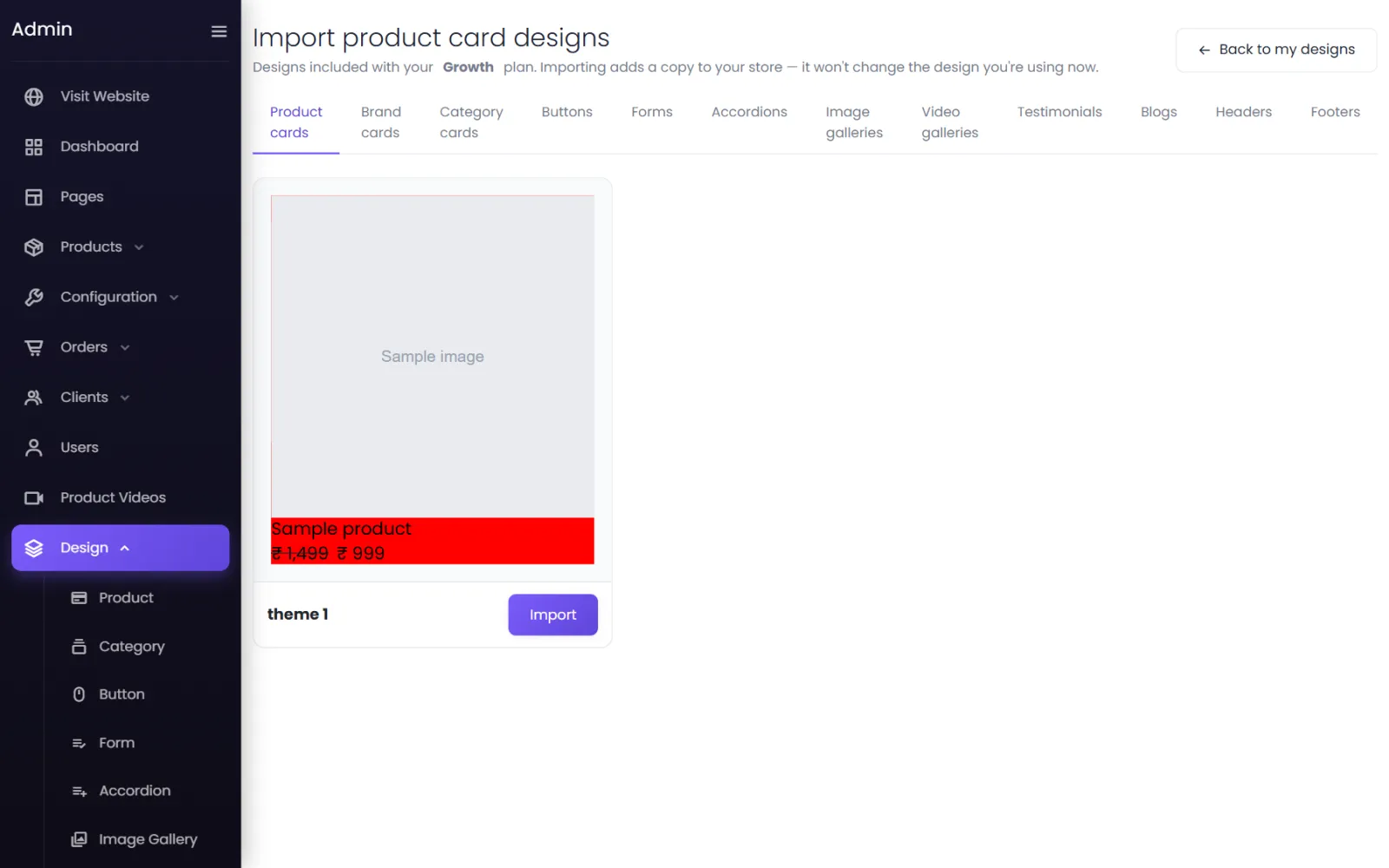
Select Import on one to add a copy to your store. Importing never changes what you are using — choose it on an element (or make it active) when you want it. Imported designs are also kept in Theme → My Library.
Was this page helpful?
Something is missing — tell us