- Online store builder
- Shipping & GST
- Order and COD limits
Order value and COD limits
Set a minimum and maximum order value, the range in which cash on delivery is offered, and the free-shipping threshold — per currency.
Order limits are amounts, so they are set per currency on the Currencies screen. For a rupee-only store that means one place: Currencies → Indian Rupee → Configure → Order & COD limits (or Settings → Storefront → Order value & Cash on Delivery limits → Edit in INR).
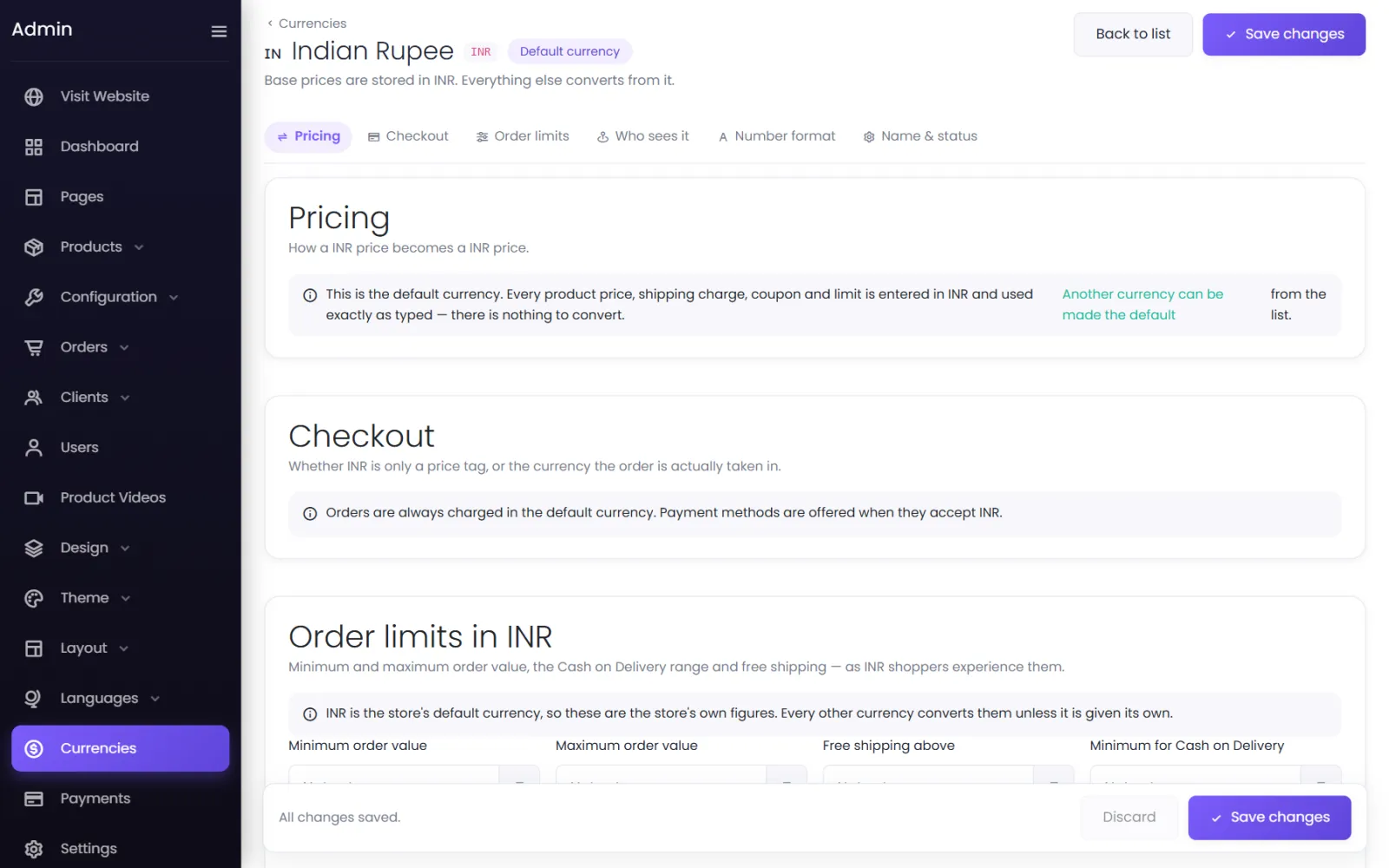
The five limits#
| Limit | What it does |
|---|---|
| Minimum order value | Carts below this cannot be checked out. |
| Maximum order value | Carts above this cannot be checked out. |
| Free shipping above | Shipping is free from this order value up (where free shipping is switched on). |
| Minimum for Cash on Delivery | Below this, COD is not offered. |
| Maximum for Cash on Delivery | Above this, COD is not offered. |
Leave a box blank for no limit.
What customers see#
- Below the minimum: Cannot place order below ₹499 under the checkout button, which stays disabled.
- Above the maximum: Cannot place order above ₹50,000.
- Outside the COD range: cash on delivery simply is not in the list of payment methods.
Other currencies#
In each other currency, leave a box blank and its figure is converted from the rupee one at that currency's rate. Type a figure to fix a round number — $15 rather than a converted $14.87.
Limits on a single payment method#
Every payment method also has its own Minimum order value and Maximum order value (in Payments → Configure → Where this method is offered). Use them to keep, for example, an expensive gateway off very small orders. See How payments work.
Quantity limits#
To limit how many of one product a customer can buy in an order, use Settings → Storefront → Max Quantity Per Product In An Order — see Variants and stock.
Was this page helpful?
Something is missing — tell us