- Online store builder
- Shipping & GST
- Shiprocket setup
Connect Shiprocket
Live courier rates at checkout and automatic shipments — create a Shiprocket API user, set your pickup location, choose couriers, markup and automation, and test a rate.
Shiprocket connects you to dozens of Indian courier companies through one account. Connected to your store, it does two things:
- Prices delivery at checkout — the real courier rate from your pickup pincode to the customer's, instead of fixed weight slabs, and refuses pincodes no courier serves.
- Creates shipments for you — once an order is confirmed, it can create the Shiprocket order, book the courier (AWB) and request pickup automatically.
Before you start#
In your Shiprocket account:
- Complete KYC and add money to your Shiprocket wallet.
- Add your pickup address under Settings → Pickup Addresses, and note its nickname (such as Primary).
- Create an API user under Settings → API → Configure. It has its own email and password — it is not your dashboard login.
1. API credentials#
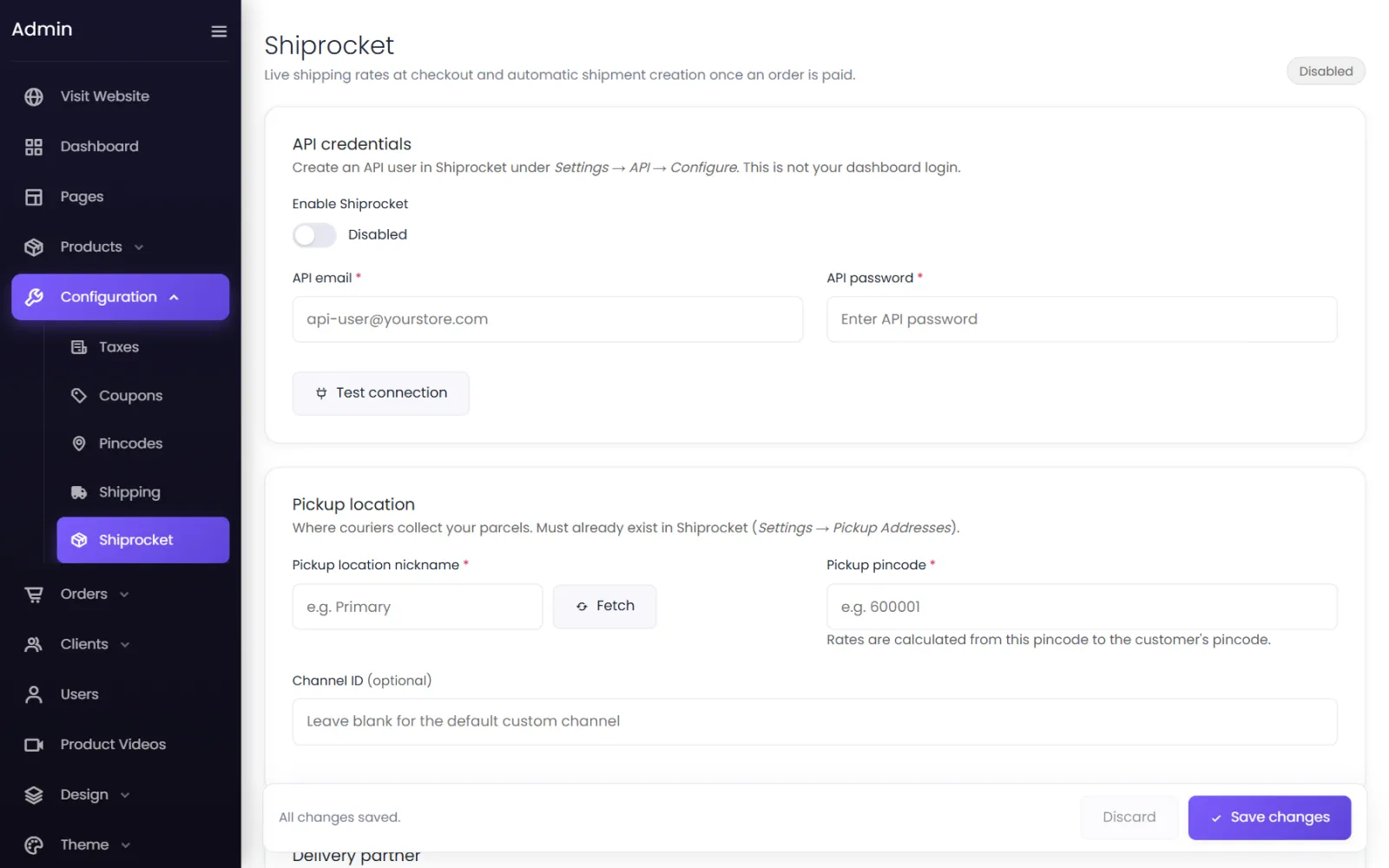
- In your admin, go to Configuration → Shiprocket.
- Switch on Enable Shiprocket.
- Enter the API email and API password of the API user.
- Select Test connection.
A saved password shows as Saved — leave blank to keep.
2. Pickup location#
- Pickup location nickname — select Fetch to load your Shiprocket pickup addresses and choose one, or type its nickname exactly.
- Pickup pincode — the pincode of that address. Rates are calculated from here to the customer's pincode.
- Channel ID (optional) — leave blank for Shiprocket's default custom channel.
3. Delivery partner#
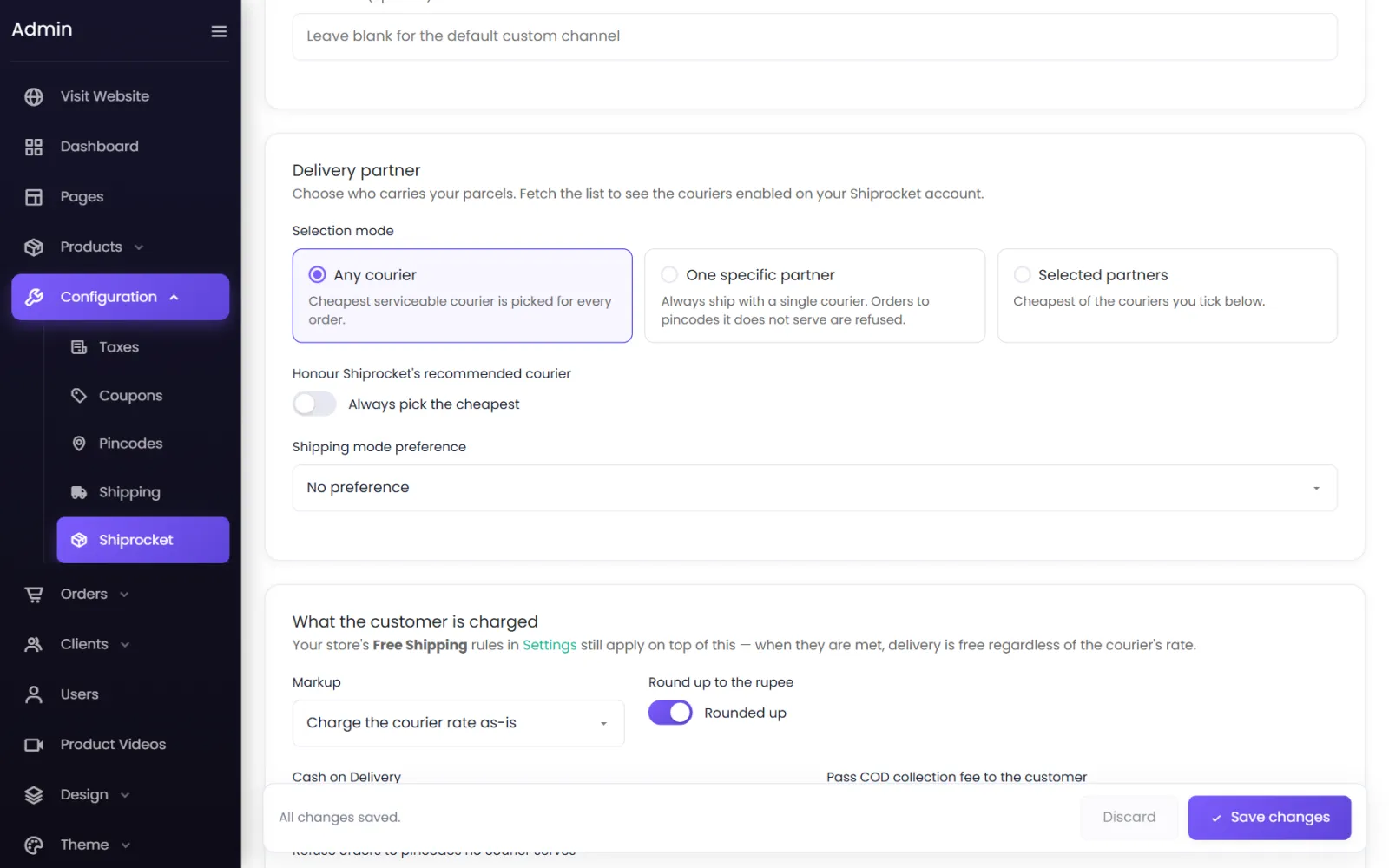
Select Fetch couriers from Shiprocket to load the couriers on your account, then choose a Selection mode:
- Any courier — the cheapest courier that serves the pincode is picked for every order.
- One specific partner — always the same courier. Orders to pincodes it does not serve are refused.
- Selected partners — the cheapest of the couriers you tick.
Also:
- Honour Shiprocket's recommended courier — use Shiprocket's recommendation when it gives one, or always pick the cheapest.
- Shipping mode preference — No preference, Surface only or Air only.
4. What the customer is charged#
- Markup — Charge the courier rate as-is, Add a flat amount or Add a percentage to cover packing.
- Round up to the rupee — ₹63.40 becomes ₹64.
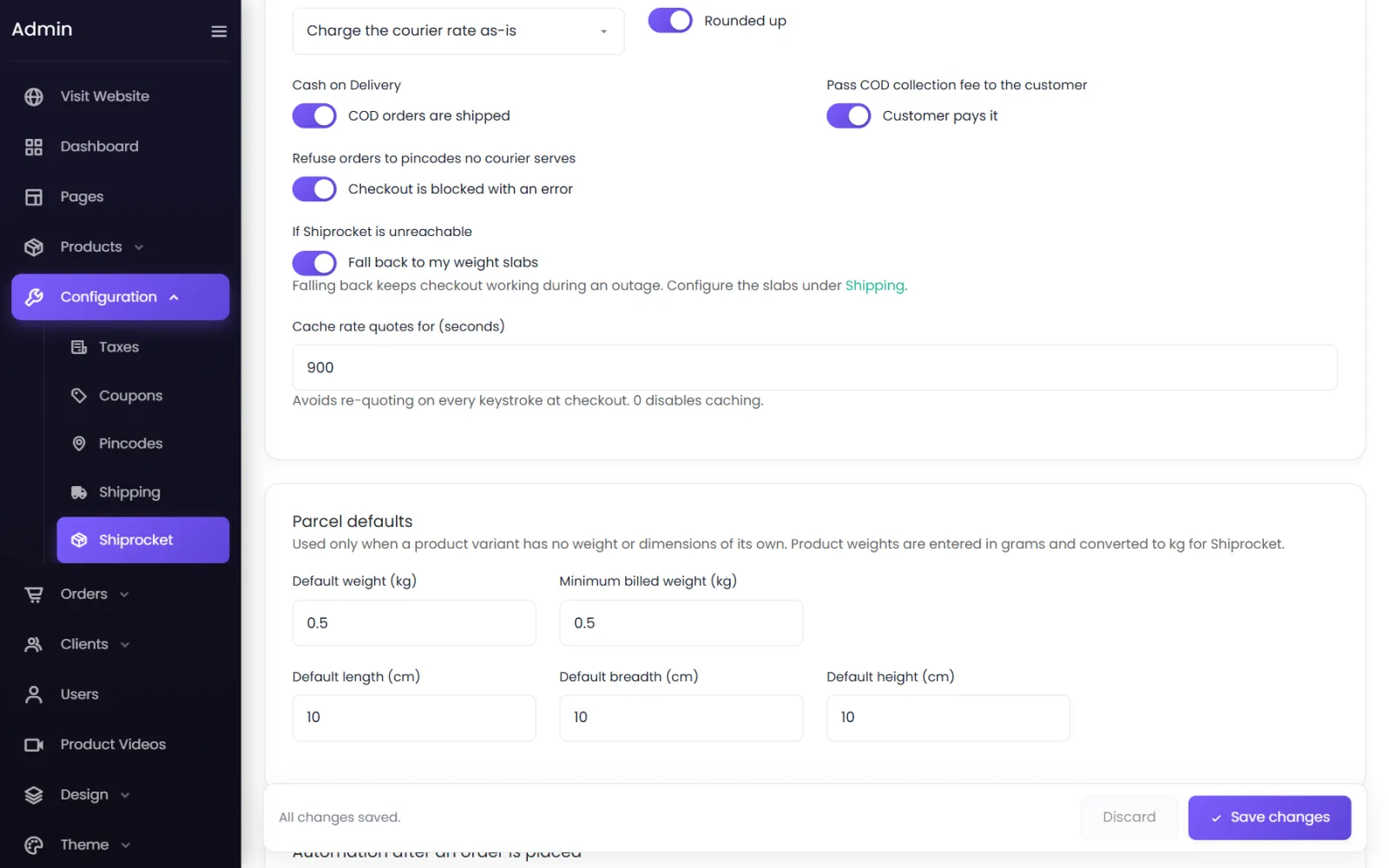
- Cash on Delivery: Pass COD collection fee to the customer — add the courier's COD fee to COD orders, or absorb it yourself.
- Refuse orders to pincodes no courier serves — block checkout with an error, or allow the order anyway.
- If Shiprocket is unreachable — Fall back to my weight slabs (keeps checkout working during an outage), or show an error.
- Cache rate quotes for (seconds) — 900 by default; avoids asking Shiprocket again on every keystroke at checkout.
Your Free Shipping rules in Settings still apply on top: when they are met, delivery is free whatever the courier charges.
5. Parcel defaults#
Used only for a product variant with no weight or size of its own: Default weight (kg), Minimum billed weight (kg) and default length, breadth and height (cm). Product weights are entered in grams and converted to kg for Shiprocket.
6. Automation after an order is placed#
Runs once the order is confirmed — straight away for cash on delivery, on successful payment for prepaid:
- Create the Shiprocket order automatically — or create it by hand from the order page.
- Book the AWB automatically — the AWB is saved as the order's tracking code and the customer gets a tracking link.
- Request pickup automatically — or request it by hand.
7. Use Shiprocket for prices#
The Shiprocket screen shows Shiprocket is on, but it is not pricing your checkout yet until Settings → Shipping → Shipping Values is switched to Quoted by Shiprocket (off). Shipping: Charge for delivery must also be on.
8. Test a rate#
At the bottom, the Rate tester quotes a delivery pincode without placing an order. Save your settings first, then enter a Delivery pincode, the weight and dimensions, and an Order value for the COD fee. You see each courier's Freight, COD fee, what the Customer pays (with your markup and rounding), the delivery time and which courier would be used.
Next: Ship orders with Shiprocket.
Was this page helpful?
Something is missing — tell us