- Online store builder
- Account & billing
- Upgrade your plan
Upgrade your plan
Move a store to a higher plan at any time and pay only the difference for the days left — how the price is worked out, with an example.
You can move a store to a higher plan whenever it is active. You pay only the difference for the days left in your current year, and the renewal date stays the same.
Step by step#
- Sign in to your store account.
- On your dashboard, select Upgrade plan on the store.
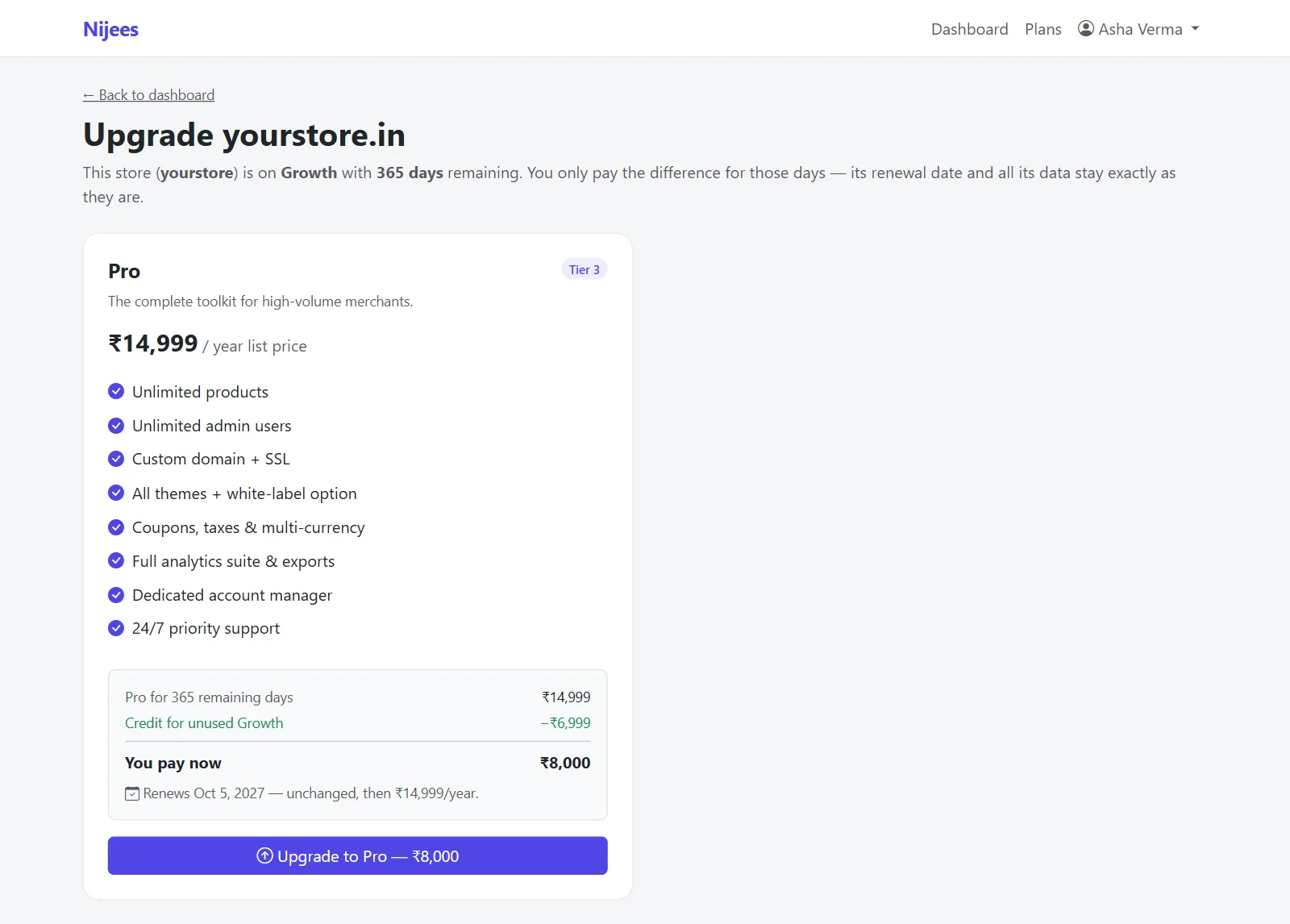
- The upgrade page explains: This store (…) is on … with … days remaining. You only pay the difference for those days — its renewal date and all its data stay exactly as they are.
- Each higher plan shows the breakdown:
- Plan for N remaining days — the new plan's price for the days left;
- Credit for unused current plan — what is left of what you paid;
- You pay now — the difference;
- Renews … — unchanged, then ₹…/year.
- Select Upgrade to … — ₹… and pay on PhonePe's checkout.
The store moves to the new plan as soon as the payment completes. Products, orders and settings are untouched.
How the price is worked out#
Both plans are priced per day — the yearly price ÷ 365 — and multiplied by the days left:
Example: 200 days left, moving from a ₹7,000 plan to a ₹15,000 plan:
| New plan for 200 days (15,000 ÷ 365 × 200) | ₹8,219 |
| Credit for the current plan (7,000 ÷ 365 × 200) | − ₹3,836 |
| You pay now | ₹4,383 |
Amounts are rounded to whole rupees. At your renewal date you pay the new plan's full yearly price.
Things to know#
- Upgrades are only to a higher plan. Choose a plan higher than your current one. appears if you pick the same or a lower one.
- On the highest plan the dashboard says Top plan — nothing higher.
- An expired store cannot be upgraded — renew it first.
- Moving to a lower plan is not available yet; contact support.
Was this page helpful?
Something is missing — tell us