- Online store builder
- Payments
- Cash on delivery
Cash on delivery (COD)
Offer cash on delivery, cap it by order value, decide whether COD orders start Confirmed or Pending, and charge Shiprocket's COD fee.
Cash on delivery is still how many Indian shoppers prefer to pay. It needs no gateway account: the customer pays the courier when the parcel arrives.
Switch it on#
- Go to Payments → Add gateway → Cash on Delivery.
- Its settings open straight away. (Later, reach them with Configure on its row.)
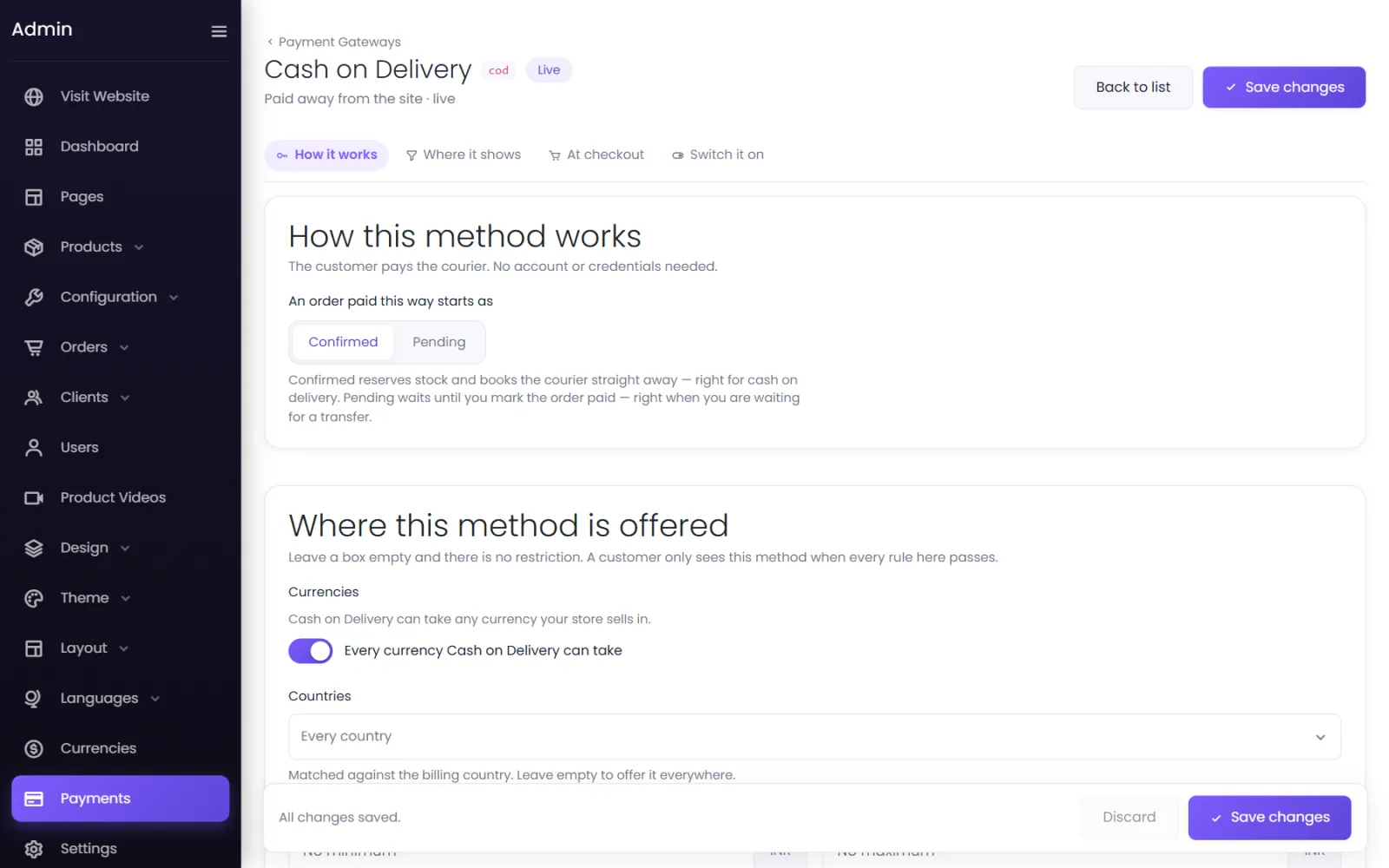
- Under How this method works, choose what an order paid this way starts as:
- Confirmed (the default) — stock is taken and the order is ready to pack at once. Right for most stores.
- Pending — the order waits for you to confirm it. Useful if you call customers to verify COD orders first.
- Under Where this method is offered, set any limits (below).
- Under At checkout, adjust the name and description if you like — Pay in cash or UPI when your order arrives.
- Under Switch it on, choose Live and select Save changes.
Limit COD by order value#
COD on a very large order is a risk; on a tiny one it may not be worth the courier's fee. Two places can limit it:
- On the method — Minimum order value and Maximum order value under Where this method is offered. Above the maximum, customers simply do not see COD.
- Per currency — Currencies → Configure → Order & COD limits has a Minimum for Cash on Delivery and a maximum, as shoppers in that currency see them. See Order and COD limits.
Only for signed-in customers#
To reduce fake orders, untick Guests checking out without an account under Who can use it. COD is then offered only to customers who signed in.
COD charges from Shiprocket#
If you ship with Shiprocket, the courier charges a COD collection fee. On Configuration → Shiprocket, Pass COD collection fee to the customer adds it to the customer's delivery charge for COD orders. See Shiprocket setup.
After delivery#
The courier collects the cash and remits it to you (with Shiprocket, as part of its COD remittance). Mark the order Delivered on the order screen. The order's payment status stays Pending for cash on delivery — the Delivered status is your record that it was paid.
Refunds on COD orders#
A COD order has no online payment to refund, so its refunds are always manual: you pay the customer back by UPI or bank transfer and record it. See Refunds and store credit.
Was this page helpful?
Something is missing — tell us