- Online store builder
- Products & catalogue
- Product images and videos
Product images and videos
Add photos and videos to a product's gallery, choose the main photo, reuse pictures from the media library, and make them look sharp and load fast.
Each product has its own gallery of photos and videos. The first item in the gallery is the product's main photo — the one shown on product cards in lists, in the cart and on the order.
Add photos#
- Go to Products → Products.
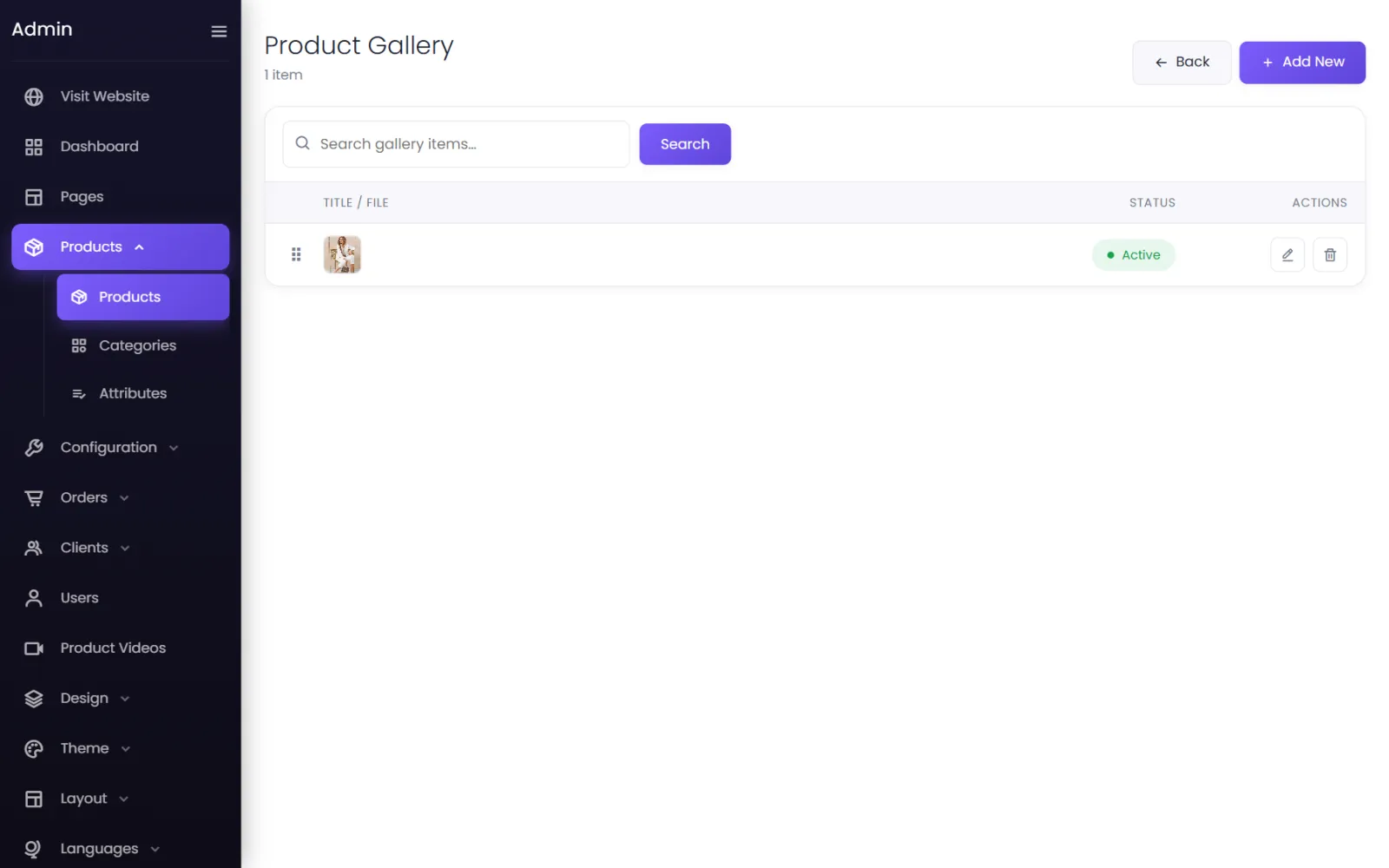
- On the product's row, select the media button (the first of the three). The product's gallery opens.
- Select Add New.
- Leave Product as it is (it is already your product), and give the item a Title if you like — it is optional.
- Set File Type to Image.
- Choose the photos:
- Choose Files to upload from your computer — you can select several at once; or
- Select Multiple from Media Folder to pick photos already in your media library, then Add Selected Files.
- Leave Status on Active and select Submit.
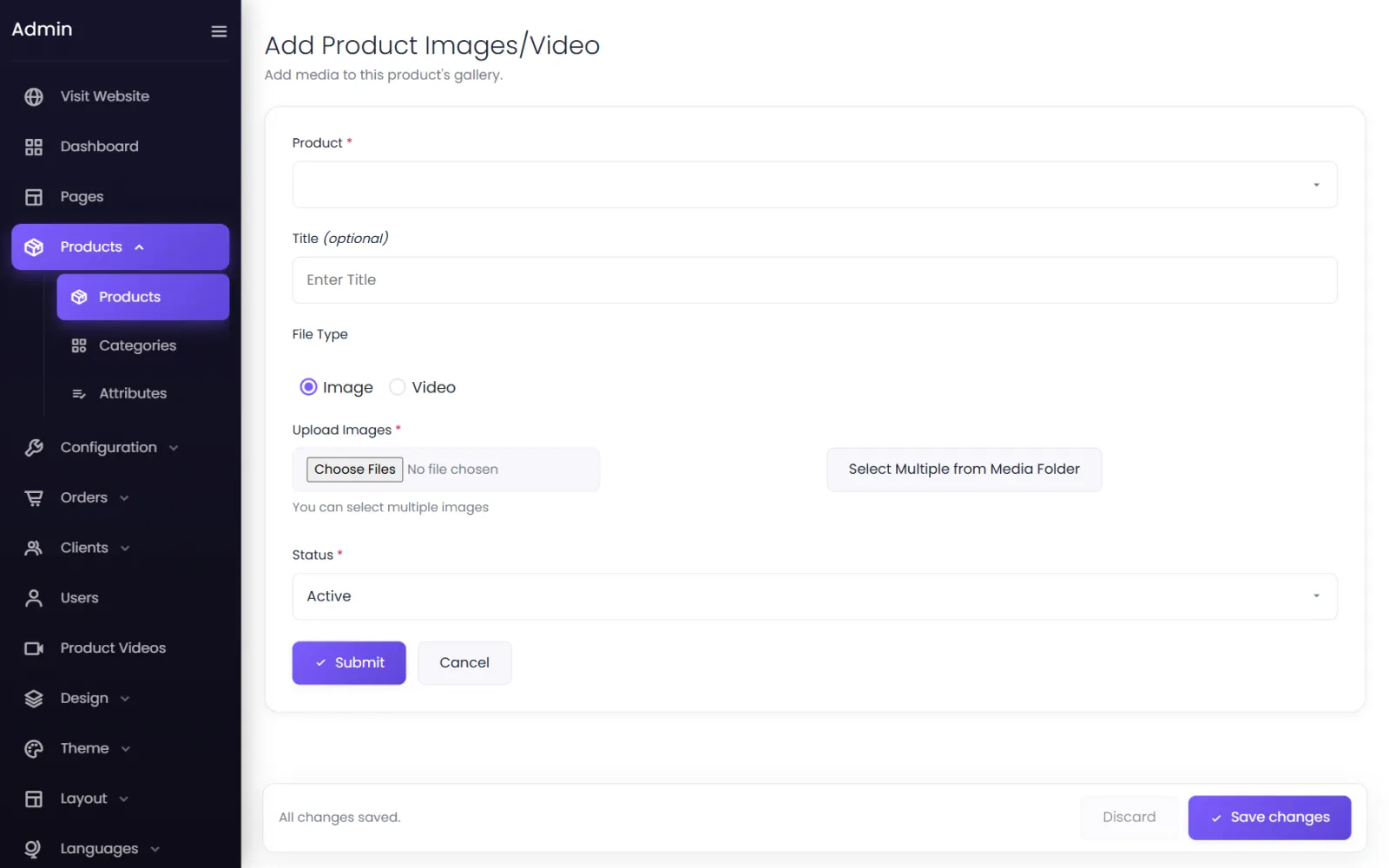
Uploaded photos are converted to WebP automatically, which keeps them sharp and quick to load.
Choose the main photo and the order#
In the product's gallery, drag the rows by the handle on the left. The item at the top is the main photo; the rest follow in the order shown, on the product page's image slider.
Add a video#
Follow the same steps with File Type set to Video. The video plays in the product's image slider alongside the photos. Common formats such as MP4 and WebM work everywhere; MP4 is the safest choice.
Hide or remove a photo#
- Hide — edit the item and set Status to Inactive. It disappears from the store but stays in the gallery.
- Remove — the bin button on its row.
Photos that look good and load fast#
- Square or portrait, all the same shape. Product cards line up neatly when every main photo has the same proportions — for example 1000 × 1250 pixels (4:5) for fashion, or 1000 × 1000 for most other products.
- At least 1000 pixels wide, so they stay sharp when zoomed. There is no benefit in going above 2000.
- A plain, light background for the main photo; lifestyle shots further along the gallery.
- JPG or PNG under about 2 MB each. They are converted to WebP on upload; very large files only make uploading slower.
Allowed image types are JPG, JPEG, PNG, GIF, WebP, AVIF, BMP and SVG. See Limits and file types.
Common questions#
Why does my product show a grey box instead of a photo?#
It has no active image in its gallery yet, or the first item is a video. Add a photo and drag it to the top.
Can the same photo be used on two products?#
Yes. Upload it once to the media library, then choose Select Multiple from Media Folder on each product.
Was this page helpful?
Something is missing — tell us