- Online store builder
- Products & catalogue
- Labels, related products and FAQs
Labels, related products and FAQs
The Extras section of the product form — returnable, exchangeable and cancellable settings, Featured / Hot Deal / Best Seller / New Arrival labels, an FAQ block — and related products.
Two sections of the product form control how a product is promoted and what customers may do after buying it: Extras and Related Products.
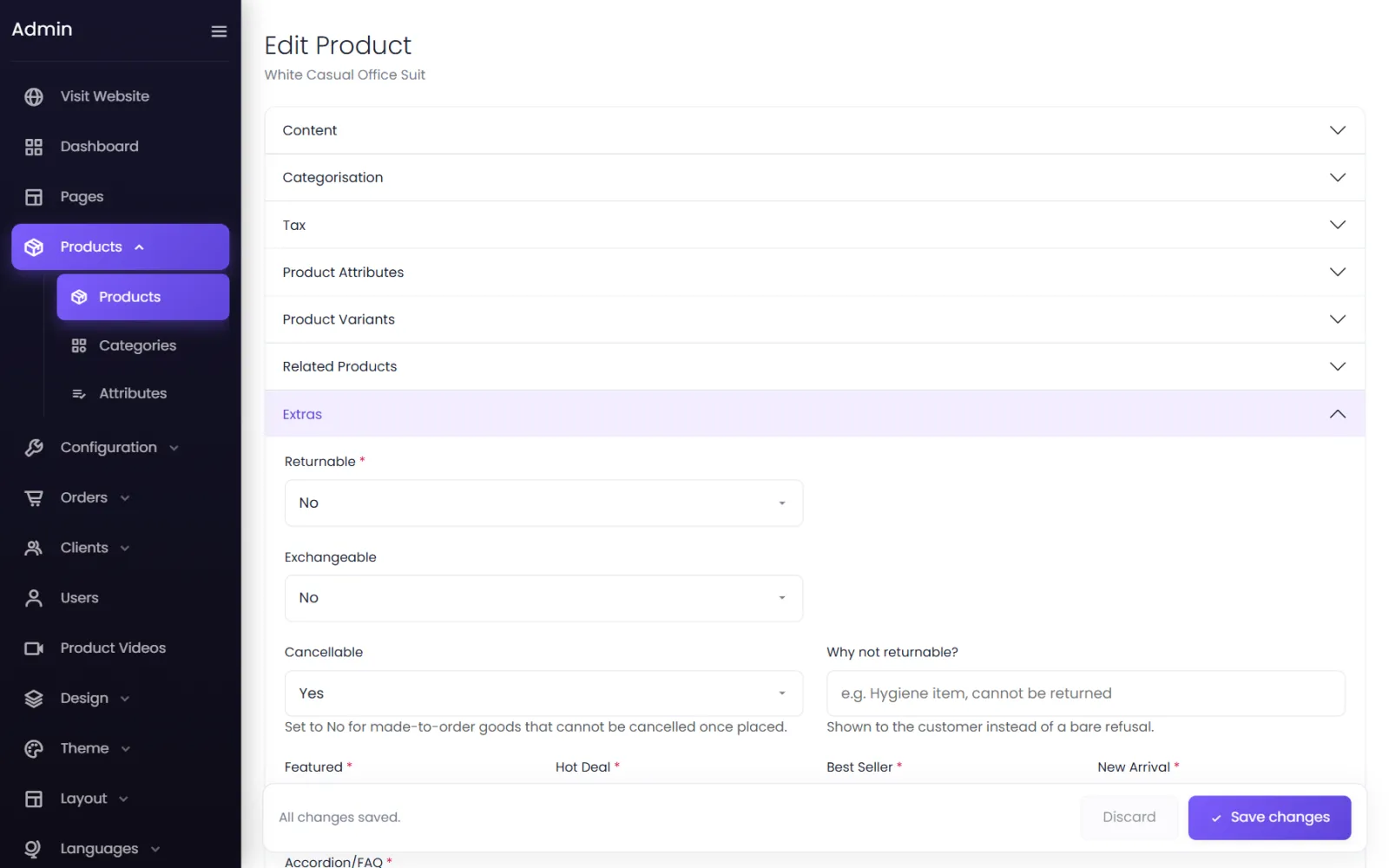
Returns, exchanges and cancellation#
These decide what this product allows. Your store-wide rules — whether returns are on at all, who pays for return shipping, how refunds are paid — are on Orders → Returns Policy.
| Field | What it does |
|---|---|
| Returnable | Yes lets customers ask to return this product after delivery. |
| Returnable Days | How many days after delivery a return can be asked for. Required when Returnable is Yes. |
| Exchangeable | Yes lets customers ask to swap it (for example for another size). |
| Exchangeable Days | The exchange window, in days after delivery. |
| Cancellable | No for made-to-order goods that cannot be cancelled once placed. |
| Why not returnable? | Shown to the customer instead of a bare refusal — Hygiene item, cannot be returned. |
When a product has no window of its own, the default windows on the Returns Policy screen apply. See Returns policy.
Labels: Featured, Hot Deal, Best Seller, New Arrival#
Set any of the four to Yes to put the product in that group. The groups feed the Products element of the page builder: a section set to Featured, Hot Deals, Best Sellers or New Arrivals shows exactly the products you labelled.
Example: mark your festive range Hot Deal, then add a Hot Deals products section to your home page. Untick the label after the sale and the section updates by itself. See Store elements.
Accordion/FAQ#
Choose an FAQ block to show on the product's page — size guidance, fabric care, delivery times. FAQ blocks are made under Accordions / FAQs and can be shared by many products. See Accordions and FAQs.
Related products#
Open Related Products and search for products by name; select one to add it. They are shown under Related Products on this product's page — use it for matching items, other colours sold as separate products, or accessories.
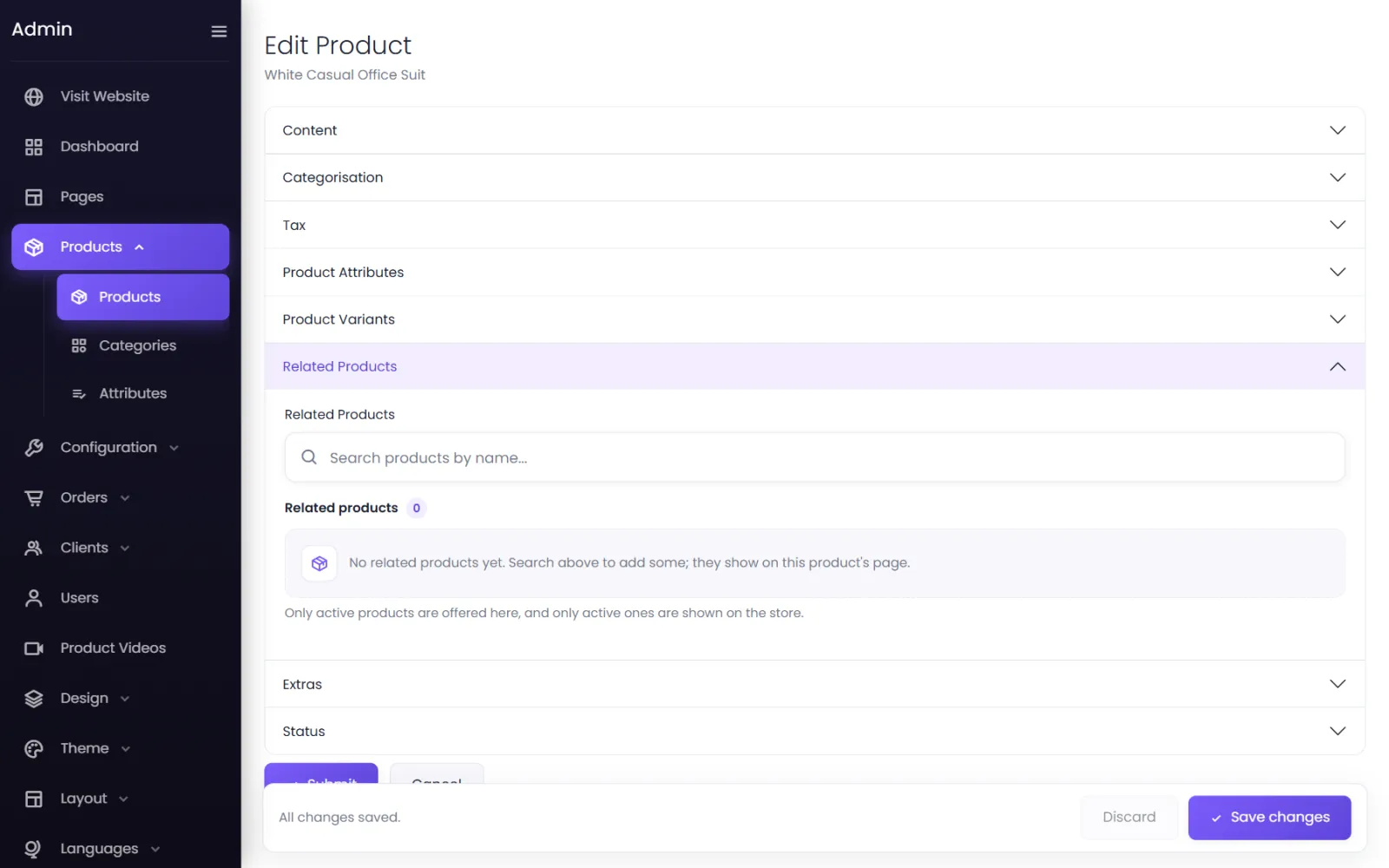
Only active products are offered here, and only active ones are shown on the store. Relations are one-way: adding B to A's page does not add A to B's.
Was this page helpful?
Something is missing — tell us