- Online store builder
- Shipping & GST
- Delivery pincodes
Delivery pincodes
The list of pincodes your store delivers to — why it matters, how to add or import thousands at once, and per-pincode free shipping.
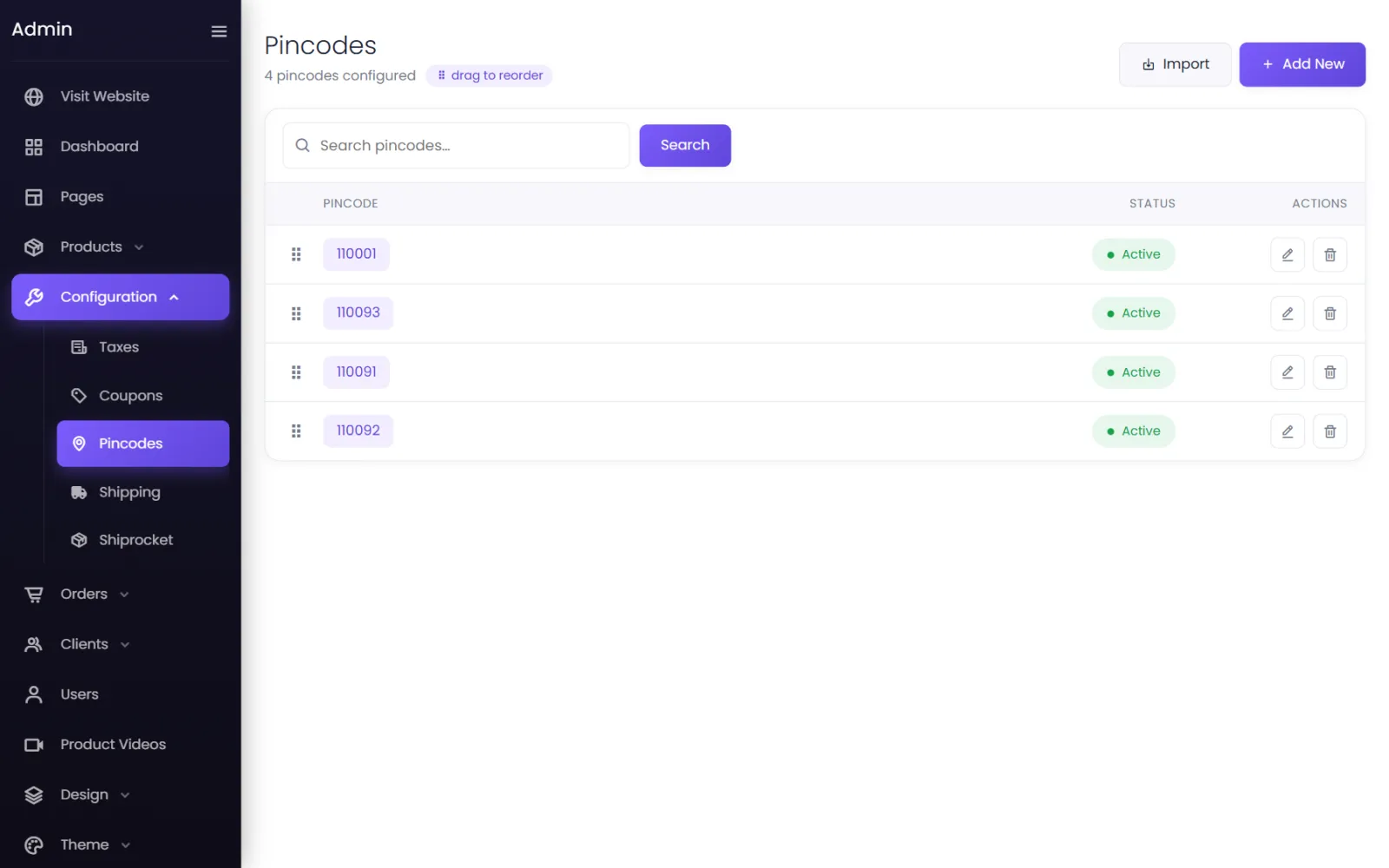
Configuration → Pincodes is the list of places you deliver to. Customers use it twice: the Check Availability box on product pages, and at checkout, where the delivery address's pincode is checked before they can place the order.

Add one pincode#
- Go to Configuration → Pincodes and select Add New.
- Enter the Pincode, leave Status on Active, and select Submit.
Import many at once#
Delivering across a city or the whole country means thousands of pincodes. Import them:
- Go to Configuration → Pincodes and select Import.
- Choose the Import Mode:
- Import through text — paste pincodes, one per line.
- Import through CSV — upload a CSV file. A single column of pincodes is fine, and a header row is okay.
- Free shipping on these pincodes above specific amount — Yes marks all of them for free shipping (see below).
- Leave Status on Active and select Submit.
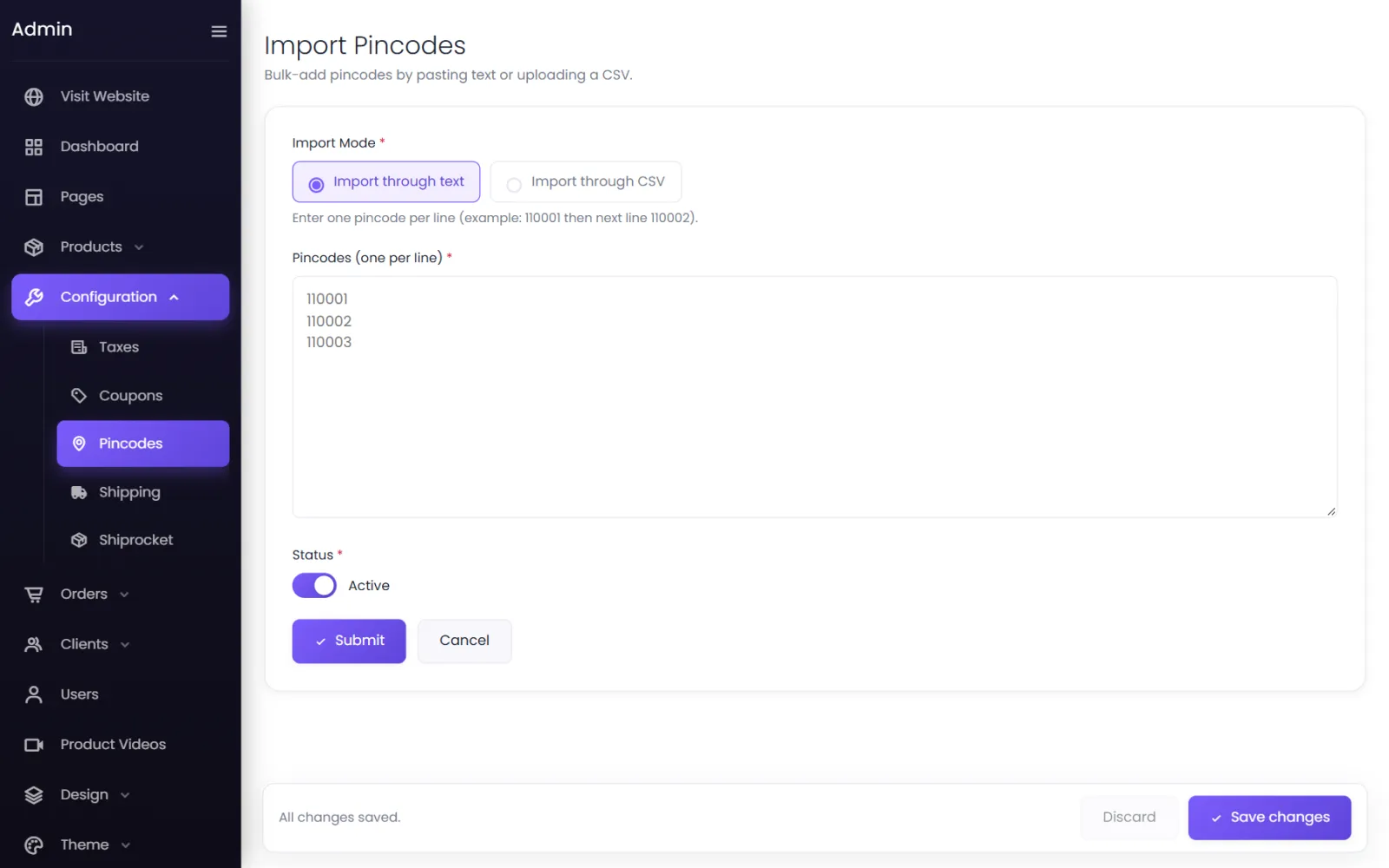
Spaces and other characters are stripped, repeated pincodes are imported once, and pincodes already in your list are skipped — so you can safely import an updated file again. The message tells you how many were added and skipped.
Stop delivering somewhere#
Set the pincode to Inactive (or delete it). Customers there can no longer order.
Free shipping on some pincodes#
To offer free delivery only in your own city, for example:
- Mark those pincodes with Free shipping (when adding them, or importing them with Yes).
- In Settings → Shipping, switch on Offer free delivery and set Free Shipping Areas to Specific pincodes.
- Set the Free shipping above amount under Currencies (0 for always free).
See Free shipping.
With Shiprocket#
When Shiprocket supplies your rates, Shiprocket decides which pincodes can be delivered to, from the couriers on your account — you do not need to keep a list. Your list is still used as a back-up if Shiprocket cannot be reached. See Shiprocket setup.
Was this page helpful?
Something is missing — tell us