Pages
Create, edit, clone and delete your store's pages, choose the home page, set the header's position, and give each page its SEO.
Your store's pages are the content pages you design yourself — the home page, About us, policy pages, landing pages for a sale. (Product, category, cart and checkout pages are built for you.)
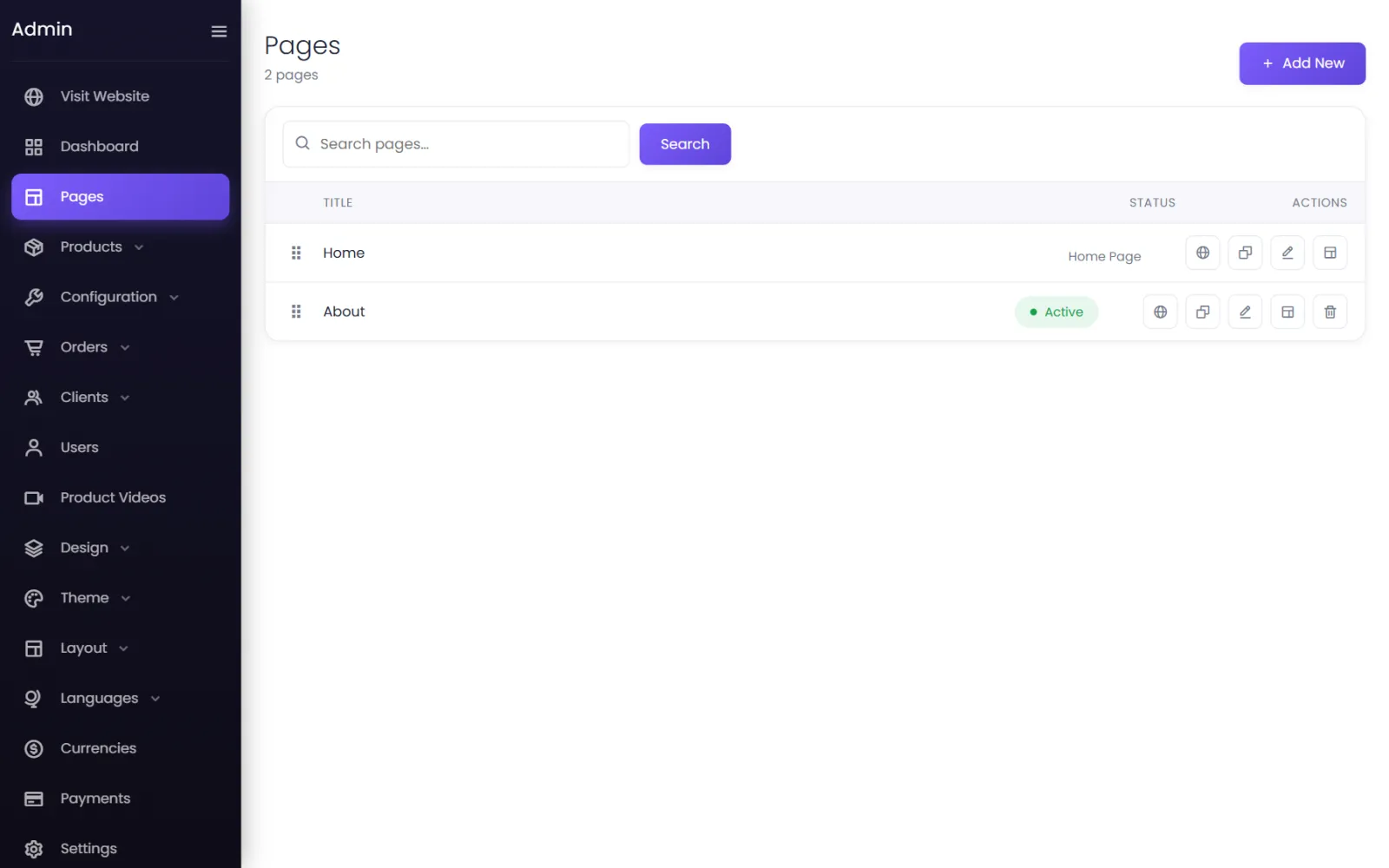
The page list#
Each page has these buttons:
- view — open it on your store;
- Seo — its search-engine title, description and keywords;
- Clone — make a copy to start a similar page;
- Edit — its title, address and header position;
- Builder — design it in the page builder;
- Delete.
The home page#
The page at the top of the list is your home page, shown at your store's root address (/), labelled Home Page. To make another page the home page, drag it to the top. The old home page then gets an address made from its title, and links to both pages follow.
Create a page#
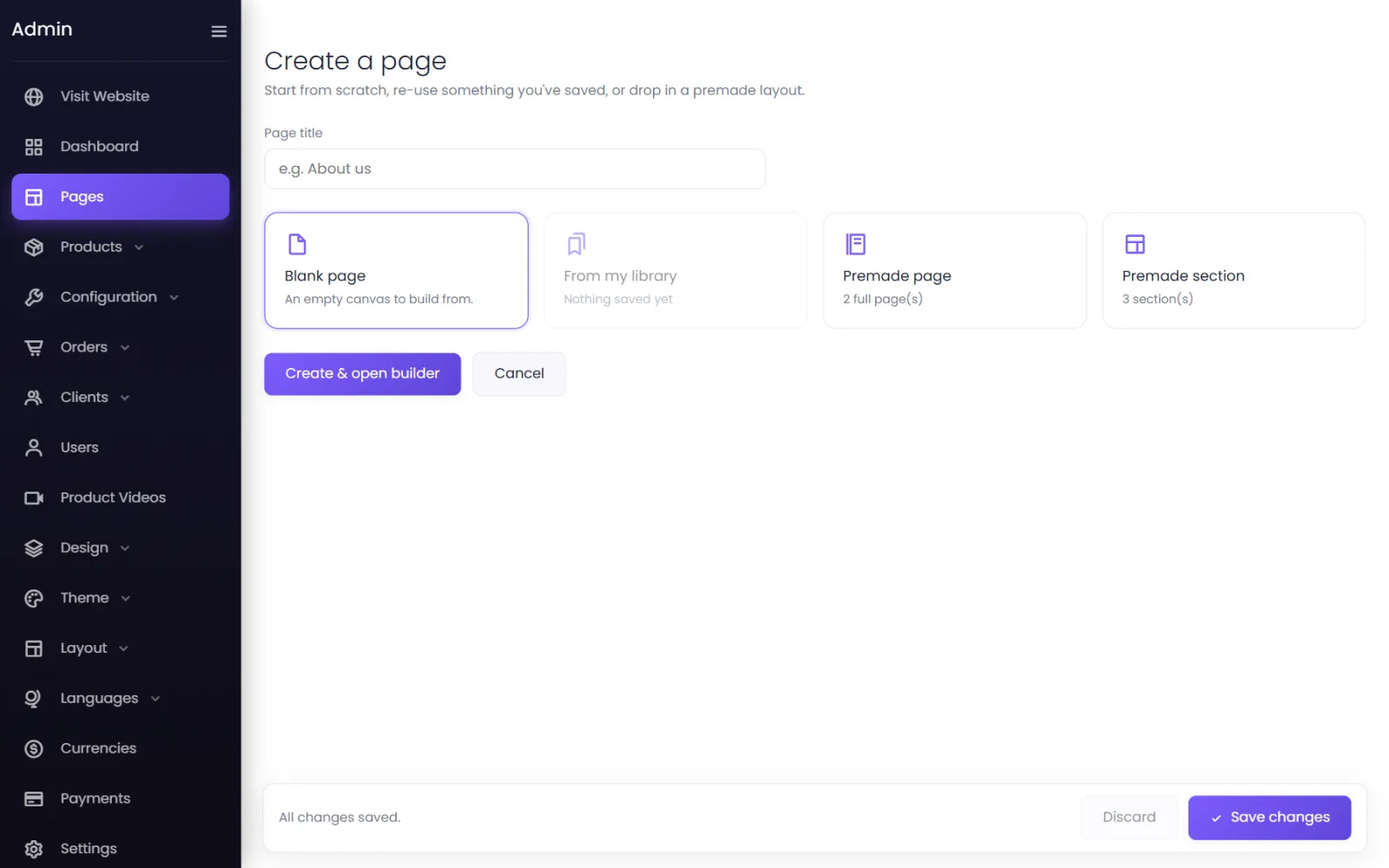
- Go to Pages and select Add New.
- Type the Page title — About us.
- Choose how to start:
- Blank page — an empty canvas.
- From my library — a page you saved earlier.
- Premade page — a complete ready-made page.
- Premade section — start with one ready-made section.
- Select Create & open builder. The page builder opens.
Edit a page's details#
Edit on the page's row:
- Title — the page's name.
- Slug — its address:
about-us→yourdomain/about-us. The home page has no slug. - Header — Start the content below the header (right for almost every page), or Let the header float over the content — only for a page that opens on a full-width image, where a transparent header sits on top of it.
Page SEO#
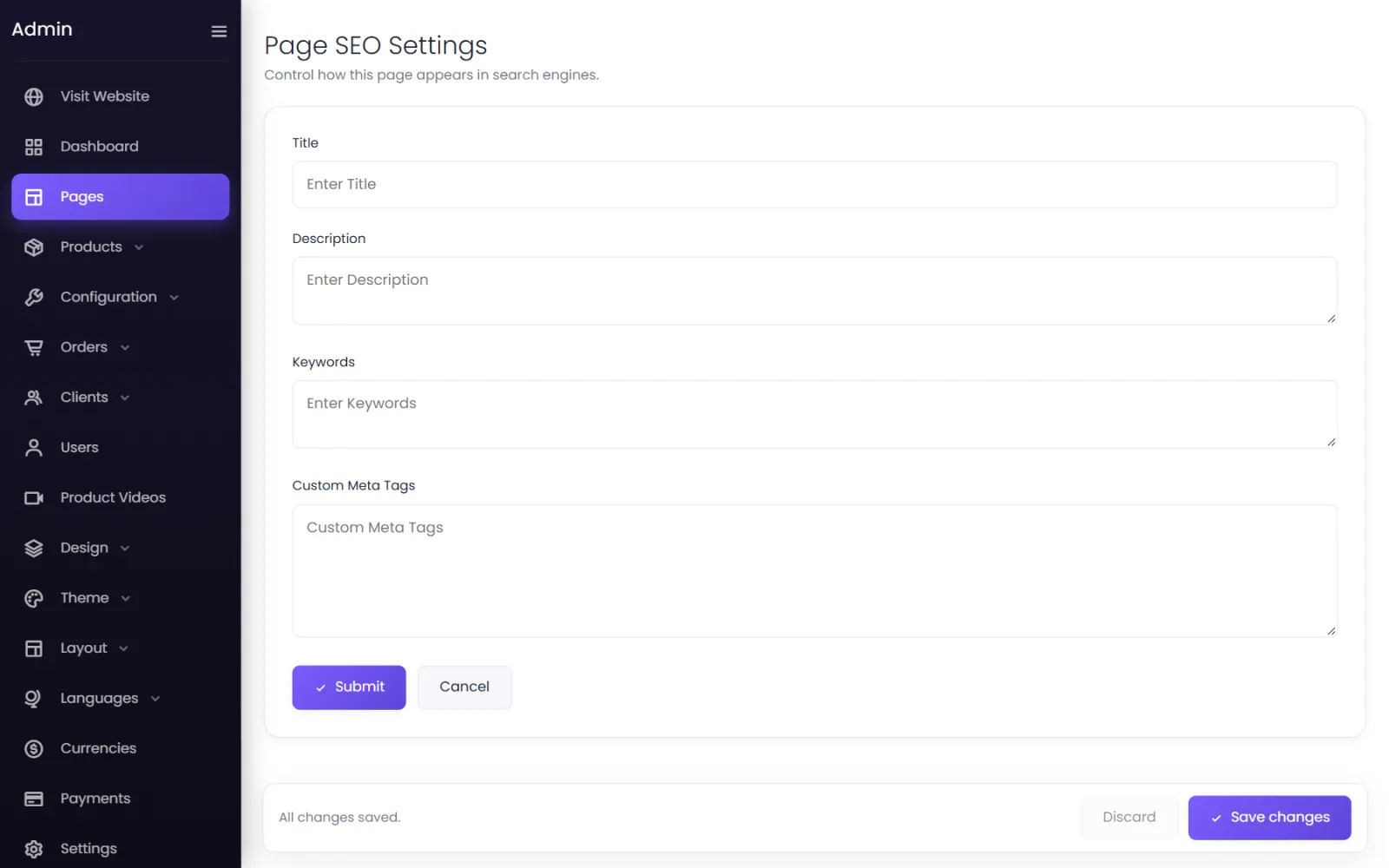
Seo on the page's row sets the Title, Description and Keywords search engines show, plus Custom Meta Tags. Fill in all four — if one is left empty, none of them is used. See SEO and sharing.
Pages every store needs#
- About us — who you are; customers buy from people.
- Contact — phone, email, WhatsApp, address, and a form.
- Shipping policy — where you deliver, how long it takes, what it costs.
- Returns and refunds — your returns policy in plain words.
- Privacy policy and Terms and conditions.
Payment gateways ask to see the last four before they activate your account. Link them all from your footer.
Was this page helpful?
Something is missing — tell us