- Online store builder
- Account & billing
- Your dashboard
Your account dashboard
What your store account's dashboard shows — each store's plan, dates and days left — and the renew, upgrade and add-a-store buttons.
Your dashboard at www.nijees.in/account/dashboard is the home of your store account. It lists every store you own with its plan.
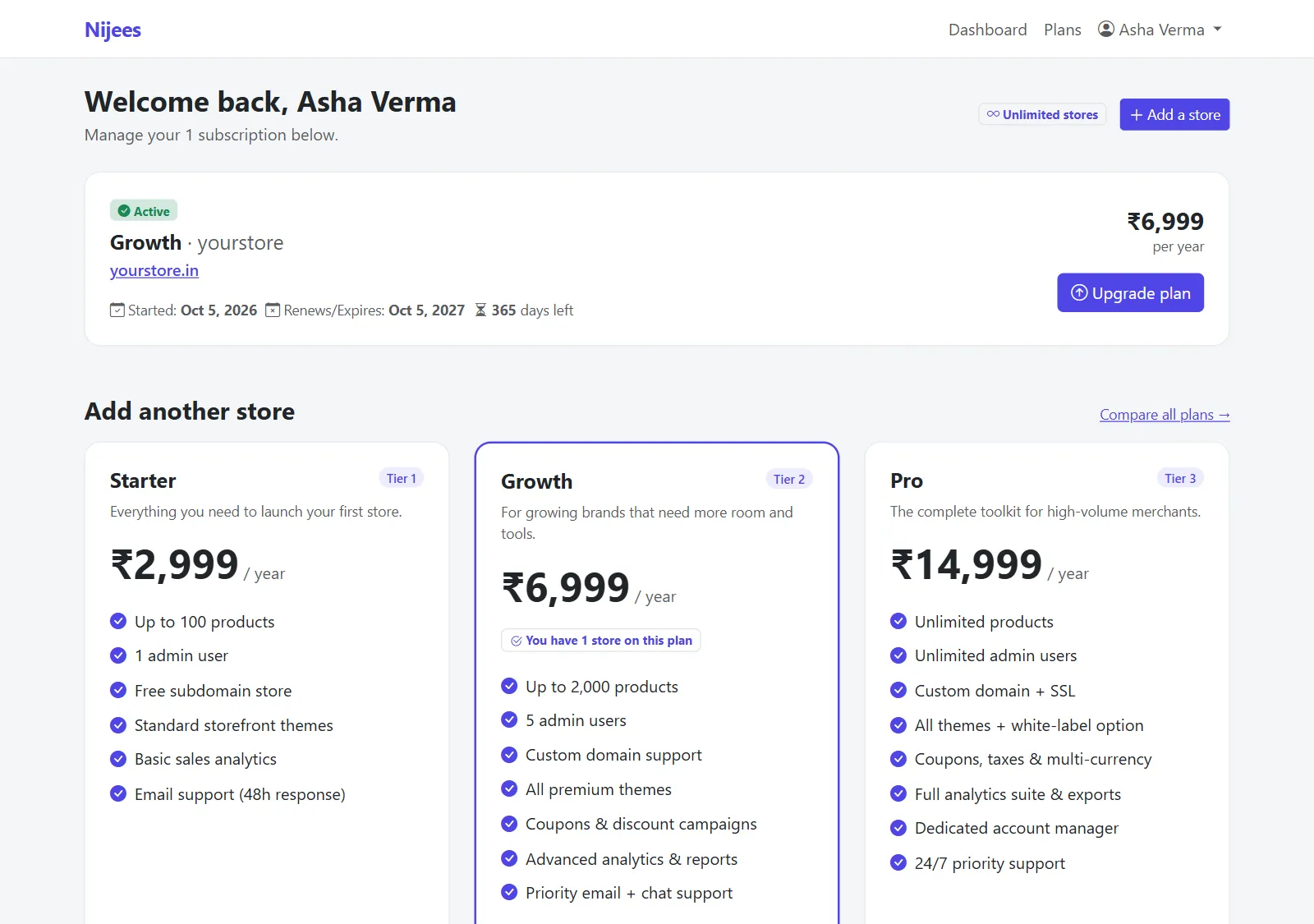
At the top#
- Welcome back, your name and how many subscriptions you manage.
- Your store allowance — Unlimited stores, or 1 of 3 stores used.
- Add a store — set up another store on a new plan.
Each store#
| Active or Expired | Whether the store is online. |
| Plan name · store ID | For example Growth · asha-fashion. |
| Domain | The store's address — select it to open the store. |
| Started | When the current year began. |
| Renews/Expires | When the year ends. |
| days left | Counting down to that date. |
| Price | The plan's yearly price. |
| Upgrade plan | Move to a higher plan — shown while the store is active. Top plan — nothing higher when it is already on the highest. |
| Renew — ₹… | Shown once the store has expired. |
Below#
Add another store shows the plans to set up a further store, with Compare all plans →. A plan you already use says how many of your stores are on it.
The store's admin dashboard#
Each store's own admin panel also shows its plan at the top of its dashboard — the plan, domain, dates and days left — with a Manage subscription button that brings you here.
Signing out#
Use the menu under your name, top right.
Was this page helpful?
Something is missing — tell us