- Online store builder
- Payments
- Bank transfer
Bank transfer and manual payments
Let customers pay by bank transfer or to your UPI ID, give them your details at checkout, and confirm the order when the money arrives.
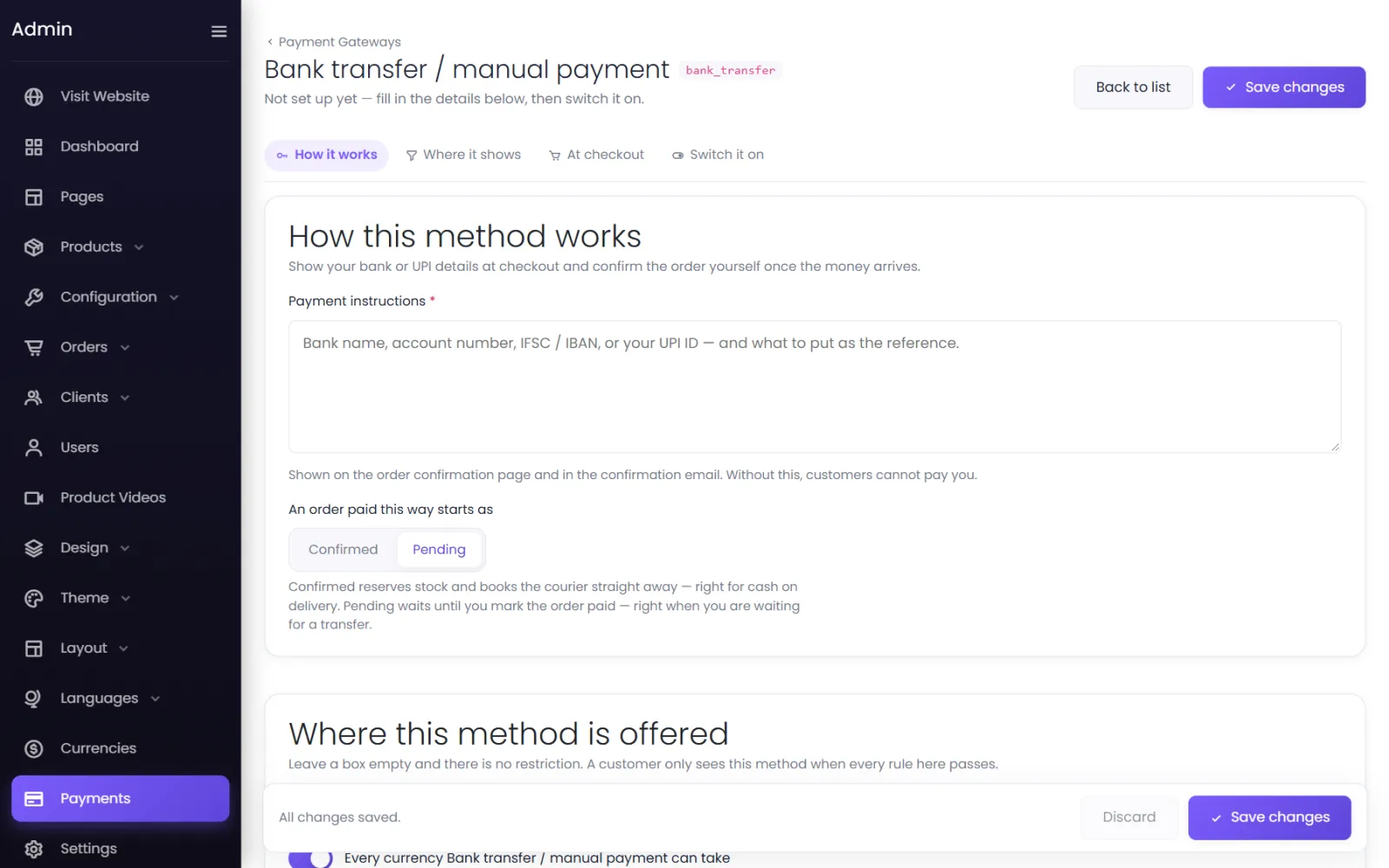
Bank transfer / manual payment lets customers pay you directly — by NEFT, IMPS or to your UPI ID — with no gateway fees. You confirm each order yourself once the money is in your account.
Set it up#
- Go to Payments → Add gateway → Bank transfer / manual payment. Its settings open.
- Write your Payment instructions — your bank name, account number, IFSC and UPI ID, and what to put as the reference. The method cannot be switched on without them: Write the payment instructions customers should follow before switching this on.
- An order paid this way starts as — leave it on Pending (the default), so the order waits until you see the money.
- Under At checkout, put the same details in the Description — see the note below.
- Set Switch it on to Live and Save changes.
What the customer sees#
They choose the method at checkout, read your details in its description, and place the order. They land on the order confirmation page with their order number — the reference to put on their payment. The order appears in your admin as Pending.
The store does not send an order email, so it is worth repeating your details to the customer on WhatsApp or by phone.
When the money arrives#
- Match the payment to the order using the reference the customer gave.
- Open the order in Orders and change its status to Confirmed, then pack and ship it.
If the money never arrives, set the order to Cancelled.
Was this page helpful?
Something is missing — tell us