- Online store builder
- Getting started
- Choose a plan
Choose a plan
How store plans work — one plan per store, valid for a year — and how to pick one on the Plans page.
Every store runs on a plan. A plan is bought per store and is valid for one year from the day you pay. When the year ends you renew it; if you need more during the year, you upgrade and pay only the difference.
How to choose#
- Sign in to your store account.
- On your dashboard, select Choose a plan (or Compare all plans →). The Plans page opens.
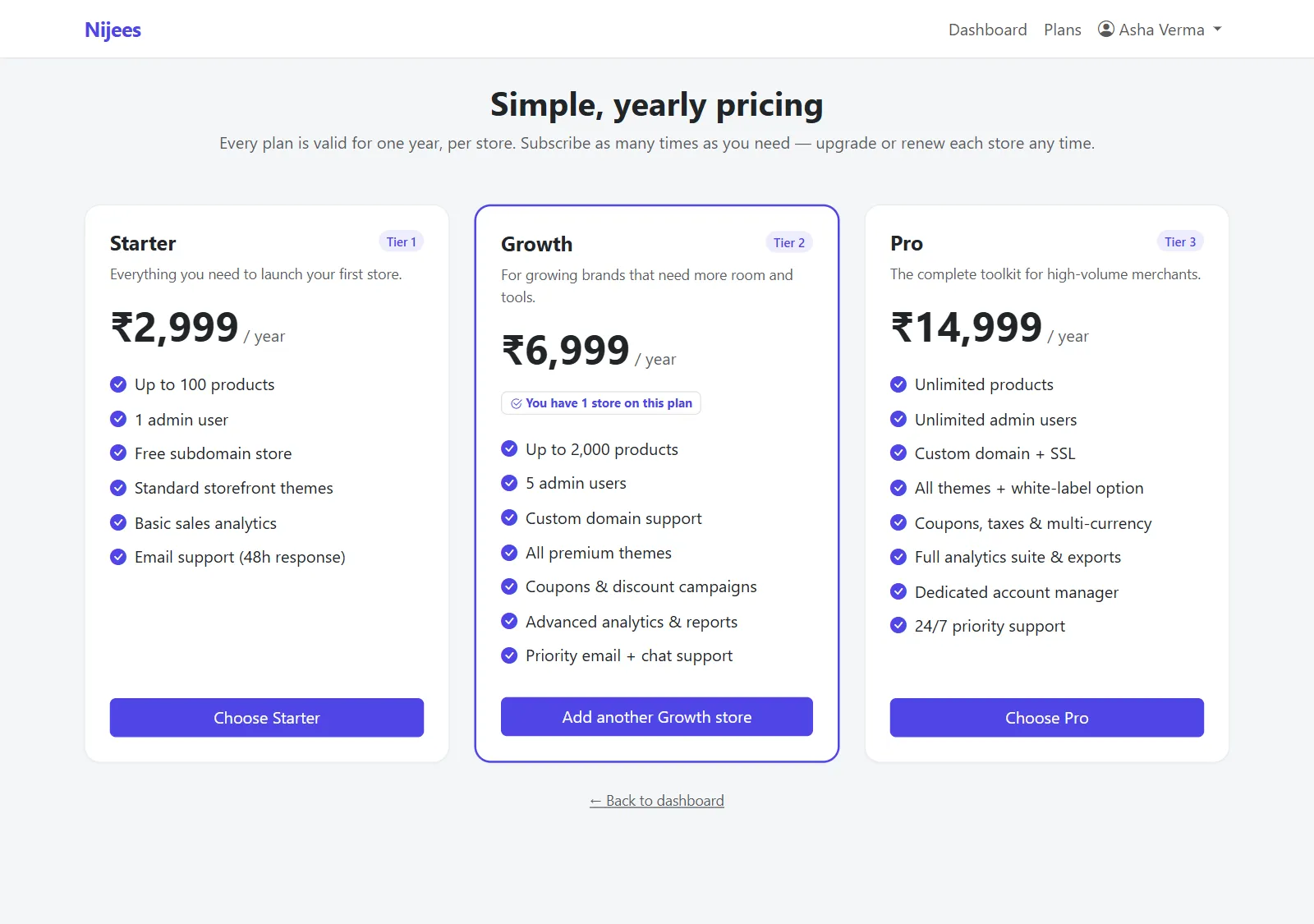
- Each card shows the plan's name, its tier (Tier 1 is the entry plan; higher tiers include more), the price per year in rupees, and a list of what it includes.
- Select Choose … on the plan you want. You go to the set-up page.
Prices are shown in Indian rupees and charged once a year. Nothing is charged until you complete the payment at the end of the set-up page.
Things worth knowing#
- One plan, one store. If you run two brands, each gets its own store, domain, catalogue and plan. A card you already use says You have 1 store on this plan, and its button reads Add another … store.
- You can start small. Upgrading later keeps every product, order and setting, and you pay only the difference for the days left in your year — see Upgrade your plan.
- Plans differ in the design library. The ready-made themes and designs you can import into your store depend on your plan; the Theme Library and Import Designs screens show the ones your plan includes.
- Your account may have a store allowance. If a card's button reads Store limit reached, your account has used all the stores it may hold — contact support to raise it.
Common questions#
Is there a free trial?#
No. A store is created when its plan is paid for. You can explore every screen in these docs first, and every new store starts with sample products so you are never looking at an empty shop.
Is GST included in the price?#
The amount shown on the plan card is the amount charged at checkout. For a GST invoice for your plan, contact us.
Can I change plans later?#
You can move up to a higher plan at any time from your dashboard. Moving down is not available yet — choose the lower plan when you next set up a store, or contact support.
Was this page helpful?
Something is missing — tell us