- Online store builder
- Settings
- WhatsApp and scroll-to-top
WhatsApp button and scroll-to-top
Add a floating WhatsApp chat button with your number and a pre-typed message, and a scroll-to-top button.
Most Indian shoppers would rather ask on WhatsApp than fill in a form. A floating WhatsApp button lets them start a chat with you from any page.
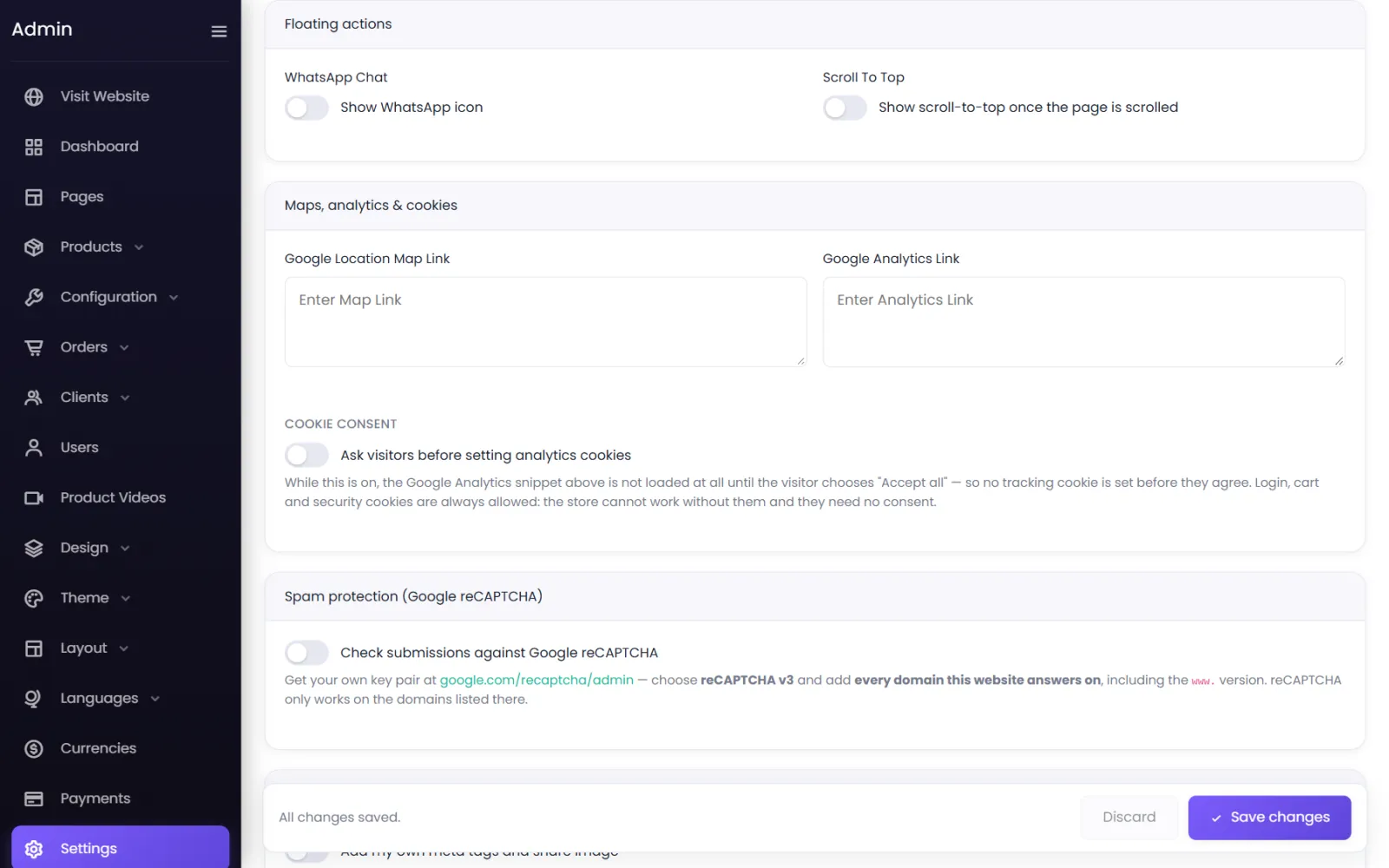
Switch on the WhatsApp button#
- Go to Settings → Floating.
- Switch on WhatsApp Chat: Show WhatsApp icon.
- WhatsApp Number — your number with the country code, no
+or spaces:919876543210. Anything that is not a digit is removed when you save. - Prefilled Message (optional) — typed into the chat for the visitor when they tap: Hi! I'd like to know more about…
- Select Save changes.
The green button appears in a corner of every page. Tapping it opens WhatsApp — the app on a phone, WhatsApp Web on a computer — with your number and message ready.
Scroll-to-top#
Scroll To Top: Show scroll-to-top once the page is scrolled adds a small button that takes visitors back to the top of long pages, such as category pages with many products.
Was this page helpful?
Something is missing — tell us