- Online store builder
- Storefront design
- Footer and social links
Footer and social links
Build the footer with rows and columns of links, text, contact details and a newsletter box — and add your social profiles.
The footer is the bottom of every page — your policy links, contact details, categories and social icons. Customers look there for Returns, Contact and Track order.
The footer builder#
Layout → Footer Builder has a live preview at the top (Desktop, Tablet, Mobile) and four tabs:
- Major Settings — the footer's overall options.
- Design — colours, fonts and spacing.
- Responsive — how columns stack on smaller screens.
- Builder — the content, in rows and columns.
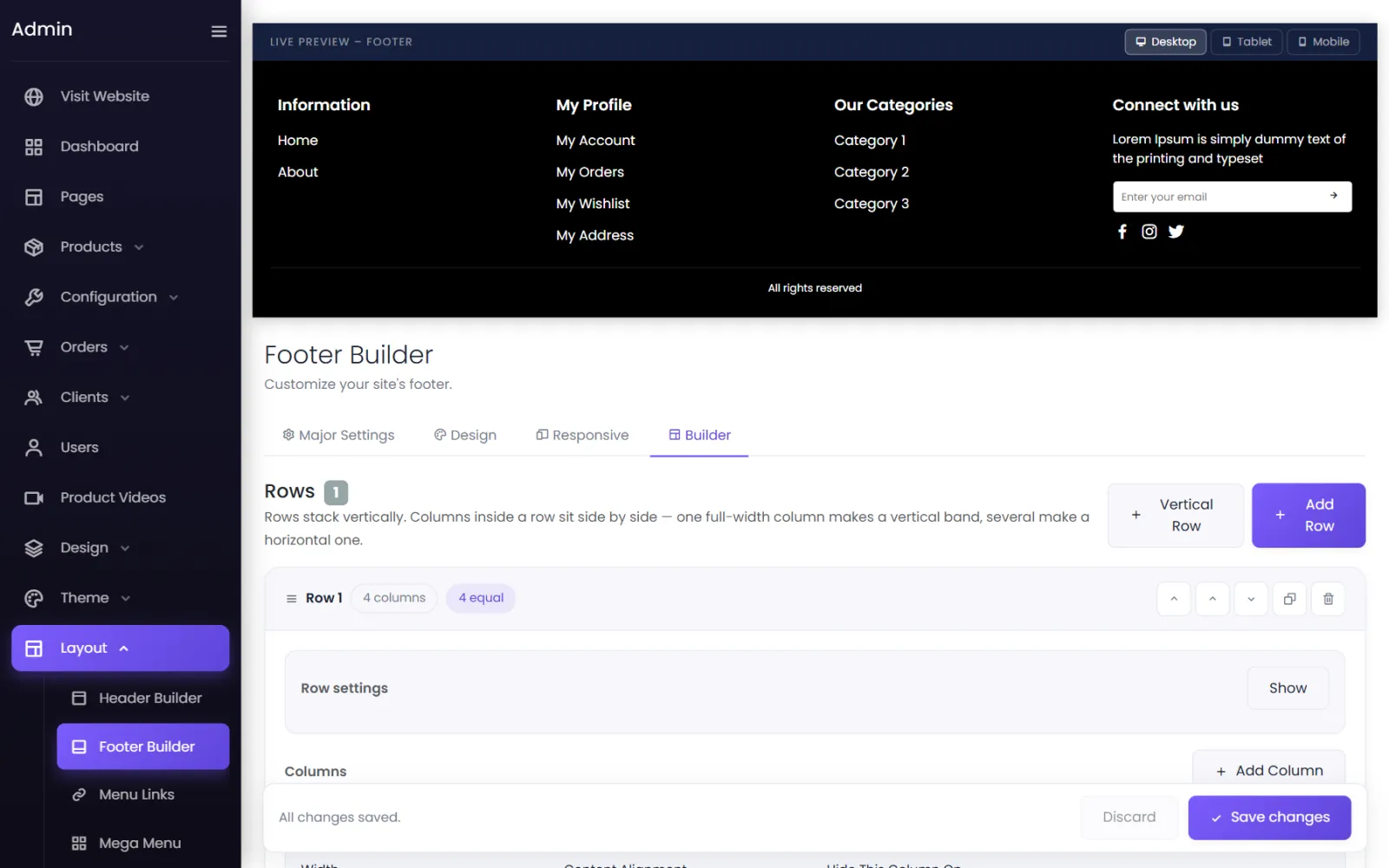
In Builder, select Add Row (or Vertical Row for a full-width column that stacks), then Add Column inside it. Each column holds a heading and its content — a list of links, text, contact details, a newsletter box, or icons. The starter footer has Information, My Profile, Our Categories and Connect with us columns.
Select Save changes when you are done.
What to put in it#
- Information — About us, Contact, Shipping policy, Returns and refunds, Privacy policy, Terms.
- Help — Track your order (
/guest/access), My account, FAQs. - Shop — your main categories.
- Contact — phone, email, WhatsApp, address and hours.
Replace the starter footer's placeholder text before you launch.
Social links#
Layout → Social Links holds your profiles.
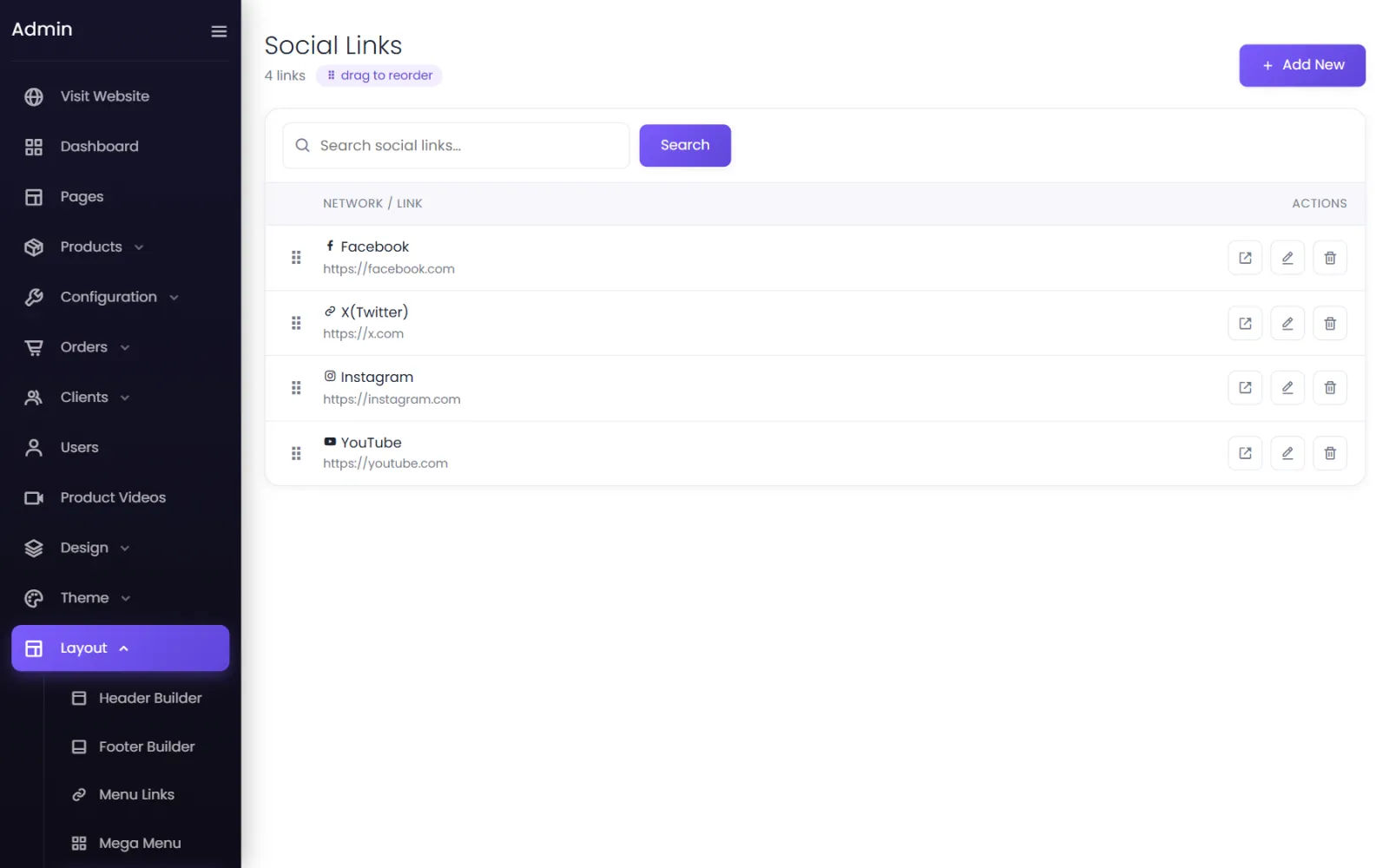
- Select Add New (or edit an existing one).
- Choose the Network — Facebook, X (Twitter), Instagram, YouTube and others.
- Paste the Profile Link — the full address, starting with
https://. - Tick Footer icon to show it in the footer.
- Save. Drag rows to set the order.
The starter store links to the networks' home pages (https://facebook.com and so on) — change them to your own profiles or delete them.
Ready-made footers#
Design → Import Designs → Footers and Theme → Website Themes offer footer designs included with your plan.
Was this page helpful?
Something is missing — tell us